
Accessing Zip File Metadata In A Password-Protected Zip File Using SharpZipLib In C# & .NET
[C#, .NET, Compression]
Our previous post, Accessing Zip File Metadata Using System.IO.Compression In C# & .NET, looked at how to access file metadata from files in a Zip file using classes in the System.IO.Compression, specifically the ZipArchive and the ZipArchive entry.
In this post, we will look at how to do the same when our Zip file is password-protected.
As pointed out earlier, System.IO.Compression classes do not support password-protected Zip files at all.
We will need to use the SharpZipLib nuget package.
dotnet add package SharpZipLib
Our project structure is as follows:
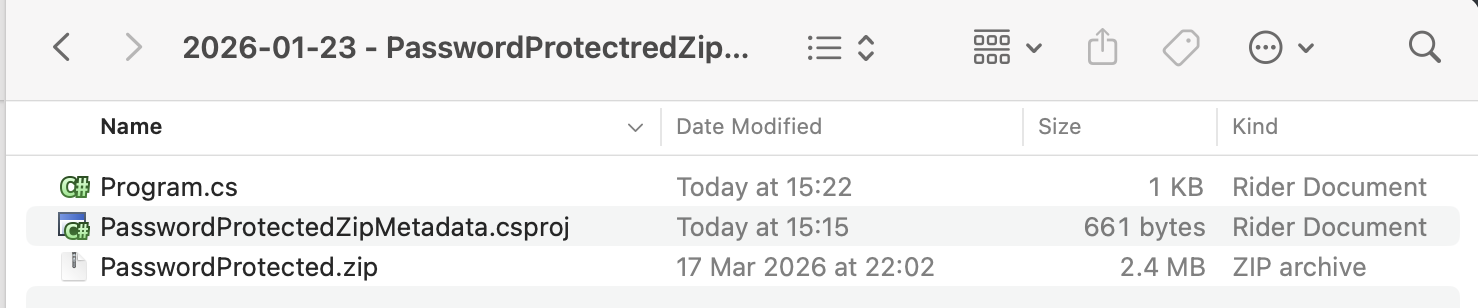
To copy the password-protected zip file to the output folder, add the following tag to the .csproj.
<ItemGroup>
  <None Include="PasswordProtected.zip">
  	<CopyToOutputDirectory>PreserveNewest</CopyToOutputDirectory>
  </None>
</ItemGroup>
The code that lists the files is as follows:
using System.IO;
using System.Reflection;
using ICSharpCode.SharpZipLib.Zip;
using Serilog;

Log.Logger = new LoggerConfiguration()
    .WriteTo.Console().CreateLogger();

// Extract the current folder where the executable is running
var currentFolder = Path.GetDirectoryName(Assembly.GetExecutingAssembly().Location)!;

// Set the password (typically this would come from the user)
const string password = "A$tr0nGpA$$w)rDf";

// Construct the full path to the zip file
var targetZipFile = Path.Combine(currentFolder, "PasswordProtected.zip");

using (var fs = File.OpenRead(targetZipFile))
{
    using (var zip = new ZipFile(fs))
    {
        // Set the password
        zip.Password = password;

        // Loop through all the files
        foreach (ZipEntry entry in zip)
        {
            if (entry.IsFile)
            {
                Log.Information("==============================");
                Log.Information("Name: {Name}", entry.Name);
                Log.Information("Compressed Size: {CompressedSize:#,0} bytes", entry.CompressedSize);
                Log.Information("Size: {Size:#,0} bytes", entry.Size);
                Log.Information("Compression Method: {CompressionMethod}", entry.CompressionMethod);
                Log.Information("Crc: {Crc}", entry.Crc);
                Log.Information("Date Time: {DateTime:d MMM yyyy HH:mm}", entry.DateTime);
                Log.Information("Host System: {HostSystem}", entry.HostSystem);
                Log.Information("Version: {Version}", entry.Version);
                Log.Information("Version Made By: {VersionMadeBy}", entry.VersionMadeBy);
                Log.Information("Zip File Index: {ZipFileIndex}", entry.ZipFileIndex);
            }
        }
    }
}
The logic is as follows:
- Open a FileStream to the
Zipfile - Use the
FileStreamto open theZipfile - Provide the password
- Iterate through the entries in the
Zipfile
The main properties available are as follows:
| Property | Description |
|---|---|
Name |
File name |
CompressionMethod |
Compression method used. The following are supported: Bzip2, Deflate64, Deflatedm LZMA, PPMd, Stored, WinZipAES |
Crc |
The Crc |
HostSystem |
HostSystem - 0 for MS-DOS, FAT & FAT32, 3 for Unix, 10 for NTFS |
Version |
Zip feature version |
VersionMadeBy |
The VersionMadeBy for this entry |
ZipFileIndex |
Index of the file in the zip file |
If we run this code, we will see the following result:
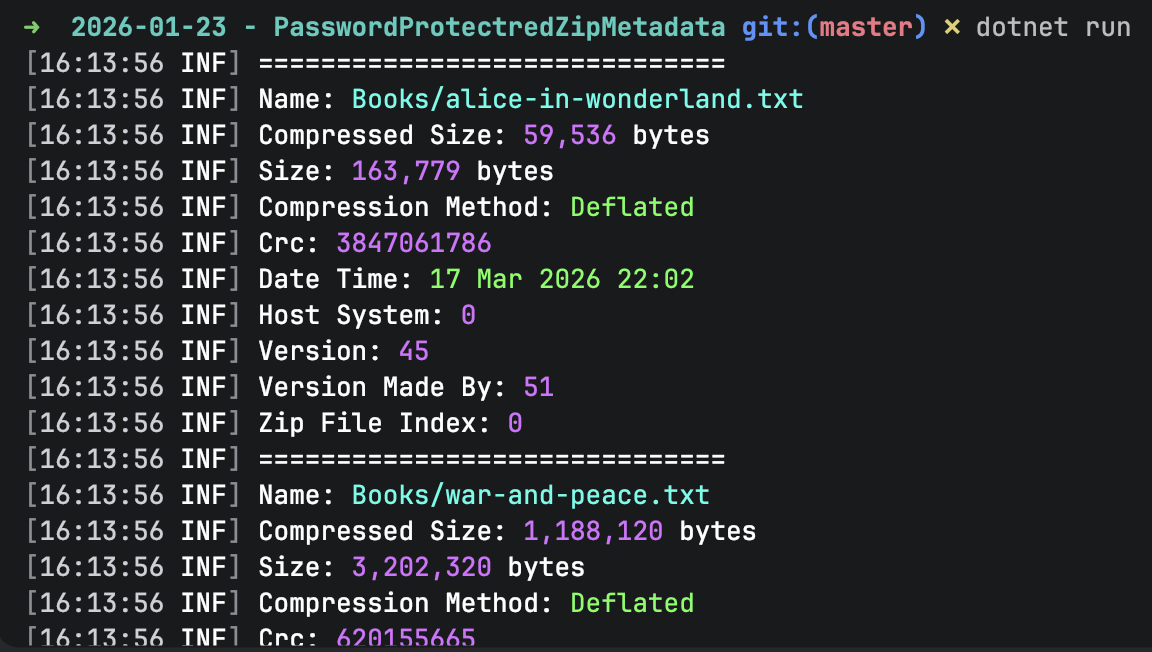
The complete output is as follows:
➜  2026-01-23 - PasswordProtectredZipMetadata git:(master) ✗ dotnet run
[16:13:56 INF] ==============================
[16:13:56 INF] Name: Books/alice-in-wonderland.txt
[16:13:56 INF] Compressed Size: 59,536 bytes
[16:13:56 INF] Size: 163,779 bytes
[16:13:56 INF] Compression Method: Deflated
[16:13:56 INF] Crc: 3847061786
[16:13:56 INF] Date Time: 17 Mar 2026 22:02
[16:13:56 INF] Host System: 0
[16:13:56 INF] Version: 45
[16:13:56 INF] Version Made By: 51
[16:13:56 INF] Zip File Index: 0
[16:13:56 INF] ==============================
[16:13:56 INF] Name: Books/war-and-peace.txt
[16:13:56 INF] Compressed Size: 1,188,120 bytes
[16:13:56 INF] Size: 3,202,320 bytes
[16:13:56 INF] Compression Method: Deflated
[16:13:56 INF] Crc: 620155665
[16:13:56 INF] Date Time: 17 Mar 2026 22:02
[16:13:56 INF] Host System: 0
[16:13:56 INF] Version: 45
[16:13:56 INF] Version Made By: 51
[16:13:56 INF] Zip File Index: 1
[16:13:56 INF] ==============================
[16:13:56 INF] Name: Books/huckleberry-finn.txt
[16:13:56 INF] Compressed Size: 222,478 bytes
[16:13:56 INF] Size: 597,794 bytes
[16:13:56 INF] Compression Method: Deflated
[16:13:56 INF] Crc: 1204358730
[16:13:56 INF] Date Time: 17 Mar 2026 22:02
[16:13:56 INF] Host System: 0
[16:13:56 INF] Version: 45
[16:13:56 INF] Version Made By: 51
[16:13:56 INF] Zip File Index: 2
[16:13:56 INF] ==============================
[16:13:56 INF] Name: Books/grimms-fairy-tales.txt
[16:13:56 INF] Compressed Size: 189,851 bytes
[16:13:56 INF] Size: 540,174 bytes
[16:13:56 INF] Compression Method: Deflated
[16:13:56 INF] Crc: 2798931834
[16:13:56 INF] Date Time: 17 Mar 2026 22:02
[16:13:56 INF] Host System: 0
[16:13:56 INF] Version: 45
[16:13:56 INF] Version Made By: 51
[16:13:56 INF] Zip File Index: 3
[16:13:56 INF] ==============================
[16:13:56 INF] Name: Books/brothers-karamazov.txt
[16:13:56 INF] Compressed Size: 735,781 bytes
[16:13:56 INF] Size: 1,995,783 bytes
[16:13:56 INF] Compression Method: Deflated
[16:13:56 INF] Crc: 2615286772
[16:13:56 INF] Date Time: 17 Mar 2026 22:02
[16:13:56 INF] Host System: 0
[16:13:56 INF] Version: 45
[16:13:56 INF] Version Made By: 51
[16:13:56 INF] Zip File Index: 4
Of interest is that feact that you generally do not need to know the password to list files in a protected zip file. Unless WinZipAES encryption was used.
TLDR
You can list the files in a password-protected zip file, as well as associated metadata, using the SharpZipLib library, as the classes in System.IO.Compression.
The code is in my GitHub.
Happy hacking!