Conditionally Serializing XML By Request Accept Header In C# & .NET
[C#, .NET, ASP.NET, Minimal API]
In the previous post, “Extending The Results Type For XML Serialization In C# & .NET”, we looked at how to extend the Results type to simplify and improve the discoverability of XML serialization at the API level.
However, the API in question will always serialize the response in XML.
As a reminder, the API looked like this:
app.MapGet("/Generate", () =>
{
  var faker = new Faker<Person>().UseSeed(0)
    .RuleFor(person => person.FirstName, faker => faker.Person.FirstName)
    .RuleFor(person => person.Surname, faker => faker.Person.LastName)
    .RuleFor(person => person.Salary, faker => faker.Random.Decimal(10_000, 99_000));

  return Results.Xml(faker.Generate(5));
});
What if we wanted the requesting client to be able to choose the serialization required?
In a previous post, “Conditionally Output XML or JSON Using ASP.NET Minimal API”, we looked at how to achieve this using content negotiation and the Carter package.
In this post, we will look at how to achieve this manually if we cannot, or don’t want to, use a solution like Carter.
Our solution will use the fact that the client can request the content type it accepts via the Accept header.
app.MapGet("/Generate", async (HttpRequest request) =>
{
    var faker = new Faker<Person>().UseSeed(0)
        .RuleFor(person => person.FirstName, faker => faker.Person.FirstName)
        .RuleFor(person => person.Surname, faker => faker.Person.LastName)
        .RuleFor(person => person.Salary, faker => faker.Random.Decimal(10_000, 99_000));

    var people = faker.Generate(5).ToList();
    // Get the request header
    var header = request.Headers.Accept.ToString();
    // Check if XML was requested
    if (header.Contains(MediaTypeNames.Application.Xml, StringComparison.OrdinalIgnoreCase))
        return await Results.Xml(people);
    // Return JSON otherwise
    return Results.Ok(people);
});
Here we fetch the Accept header and then check whether it is “application/xml” using the constant MediaTypeNames.Application.Xml constant, case-insensitive.
If it is, return the content as XML.
In all other cases, return JSON.
If we now make a request and specify the XML content type in the Accept header:
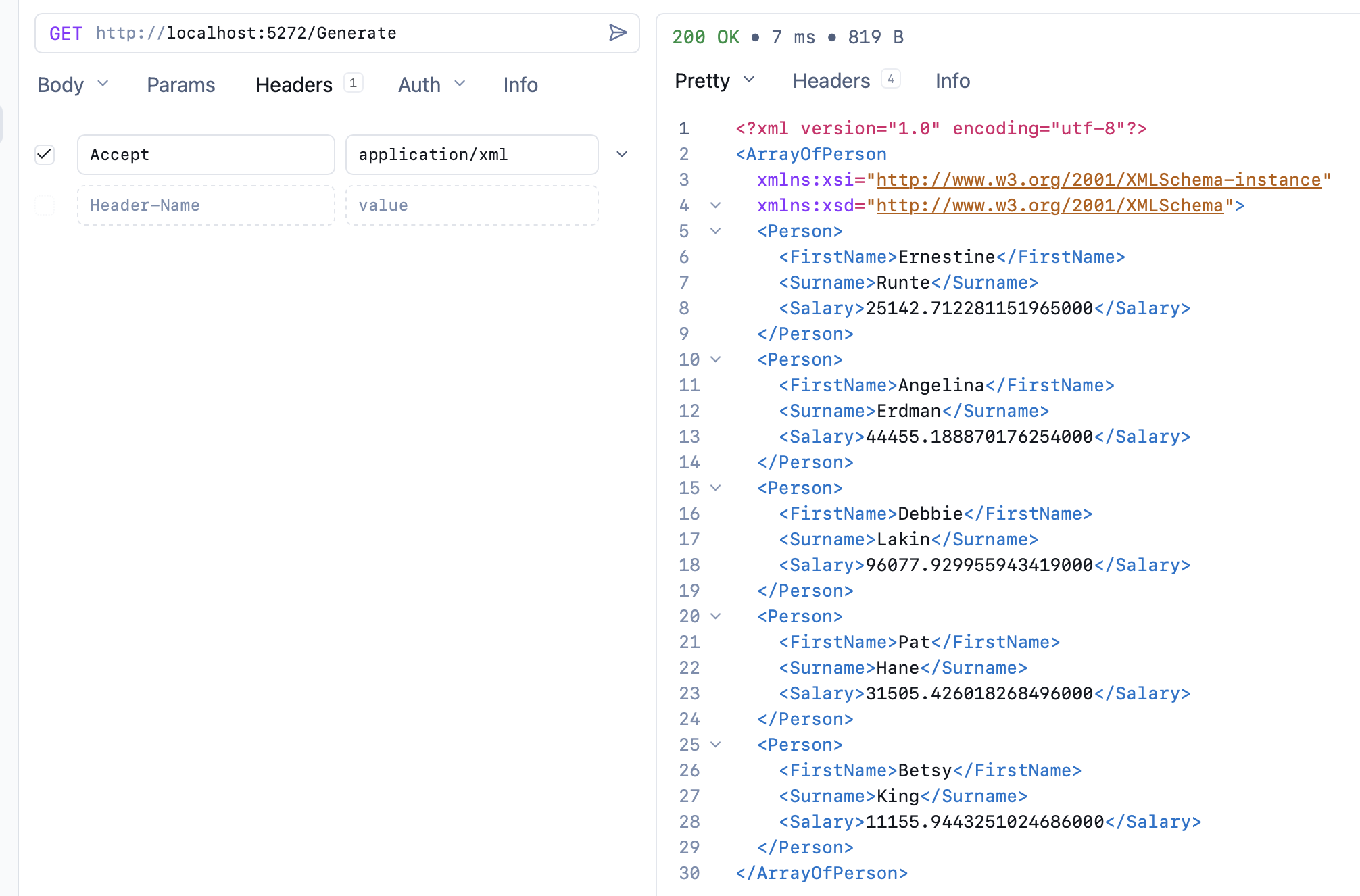
We get the results as XML.
Otherwise, we get JSON:
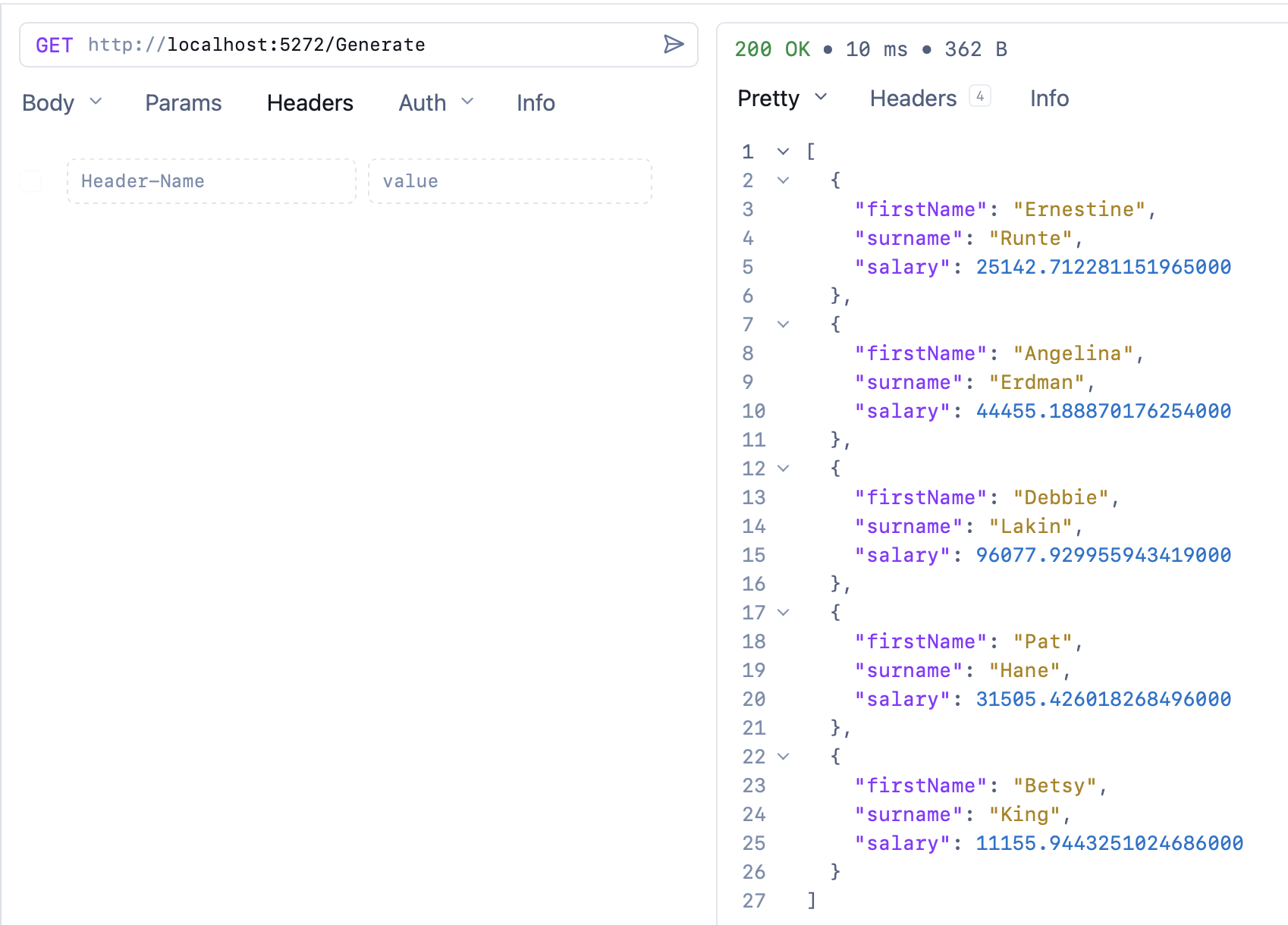
TLDR
We can use the content-type header to decide how to serialize responses to clients.
The code is in my GitHub.
Happy hacking!