
Correctly Formatting Code Samples in Jekyll
[Jekyll]
I was recently reviewing a post I’d written previously, “Tip - Quickly Upgrade Docker Containers,” when I noticed something.
Some code samples are being displayed incorrectly.

and

Which was strange.
As a reminder, I am using Jekyll to write and manage this blog.
Because the source code is definitely correct.
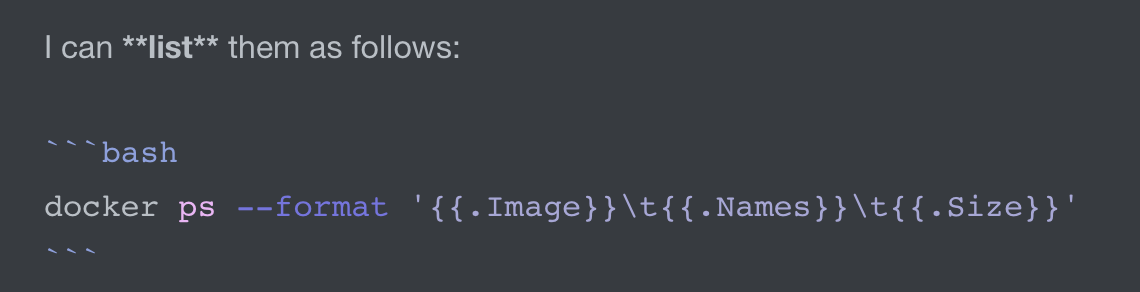
and
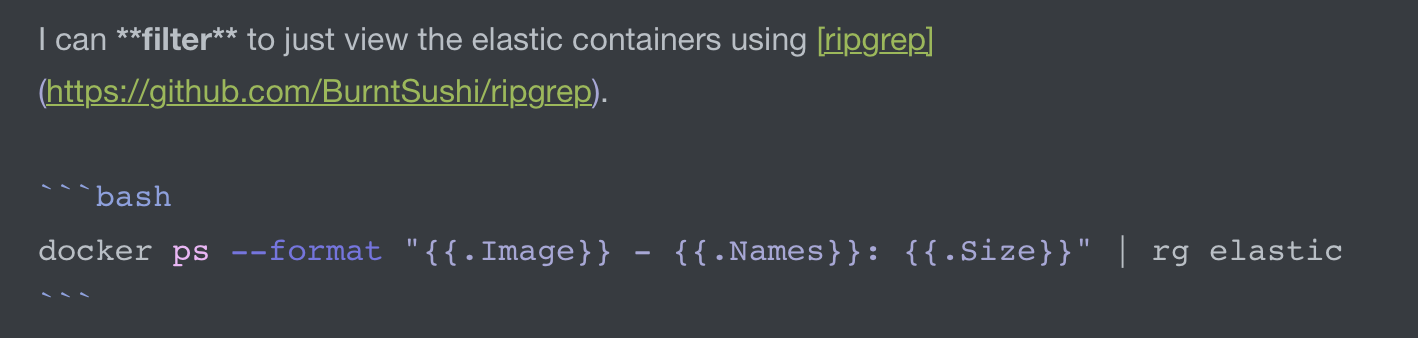
The problem is the double curly braces, which Jekyll interprets as interpolation markers.
Jekyll actually warns you about this when you build the site.

The solution to this is to wrap your code in two tags: raw and endraw. Like this:
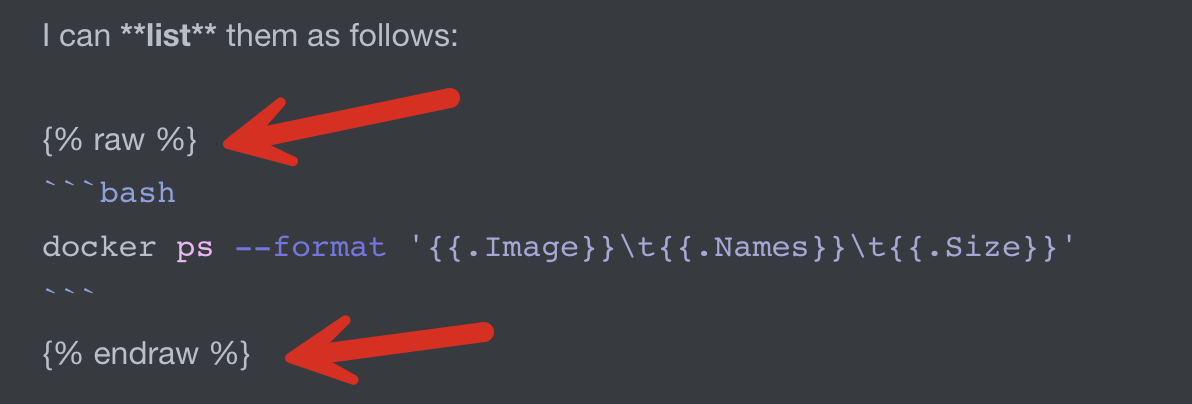
and
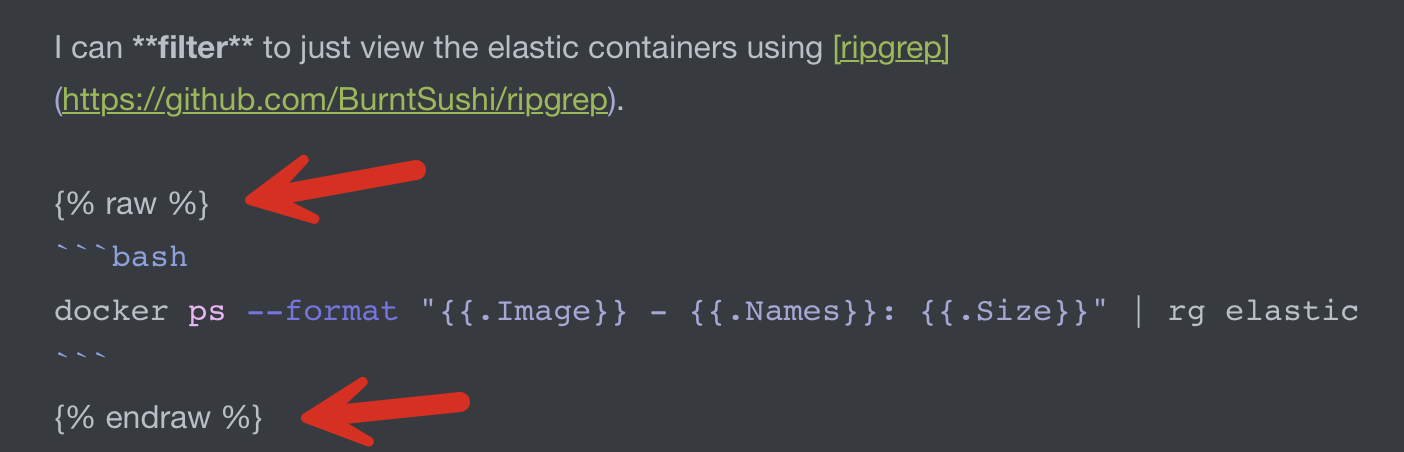
The site will now render correctly.

and

You can view the updated post here