
Creating & Managing Environments In Yaak
[Tools, Yaak]
The previous post, “Automatically Fetching an Identity Server Token with Yaak”, looked at how to set up Yaak to fetch and store tokens issued by an identity server to secure endpoints using request chaining.
NOTE: For this post, I am using a Yaak beta version, 2025.10.0-beta.8`
In that technique, the token was stored in a global variable, given that you need a valid identity server token regardless of circumstances.
Sometimes you would like some fine-grained control over the variables.
Consider a situation where you have a third-party API that offers a test environment and a live environment, each differentiated by an API key.
We need, therefore, to tell Yaak in some way when to use the test and when to use the live key.
In our approach, we will use this key in a HTTP header so that the back-end service can retrieve and utilize it.
This is done as follows:
First, click on the environment section:

This will open a dialog that shows you your global variables, if any.

In our case, we have already defined the AccessToken. This will always be available, regardless of the environment.
To create an environment, click the (+) next to Global Variables.

In the dialog presented, you provide a name for the environment and optionally choose a colour to differentiate it visually.
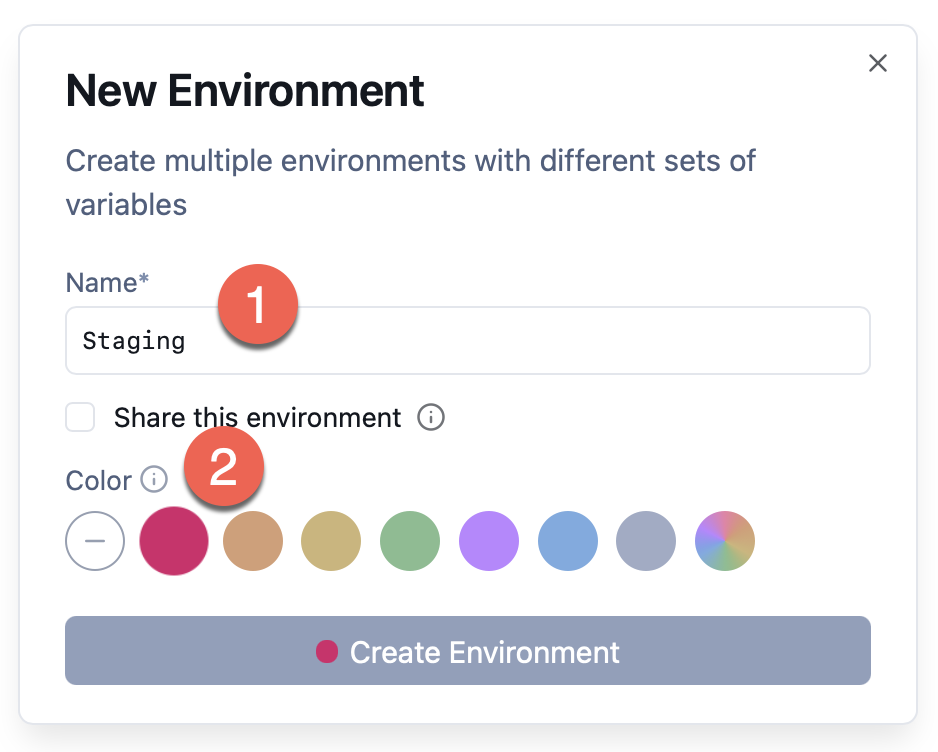
Upon saving, you should see the new environment added as a node.
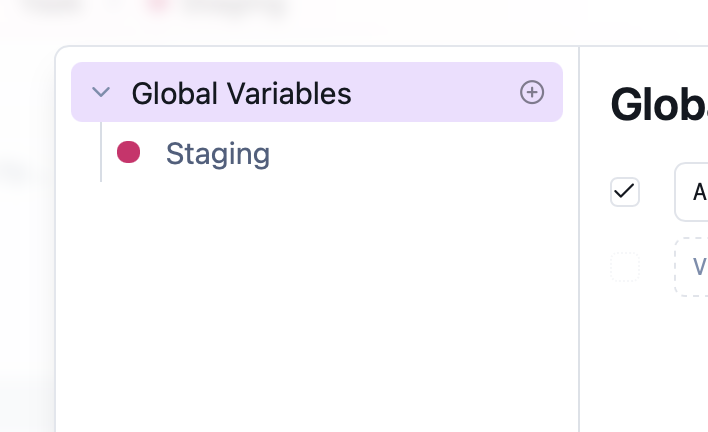
Next, we click on our new environment.
The UI will change to allow us to add our custom environment variable.
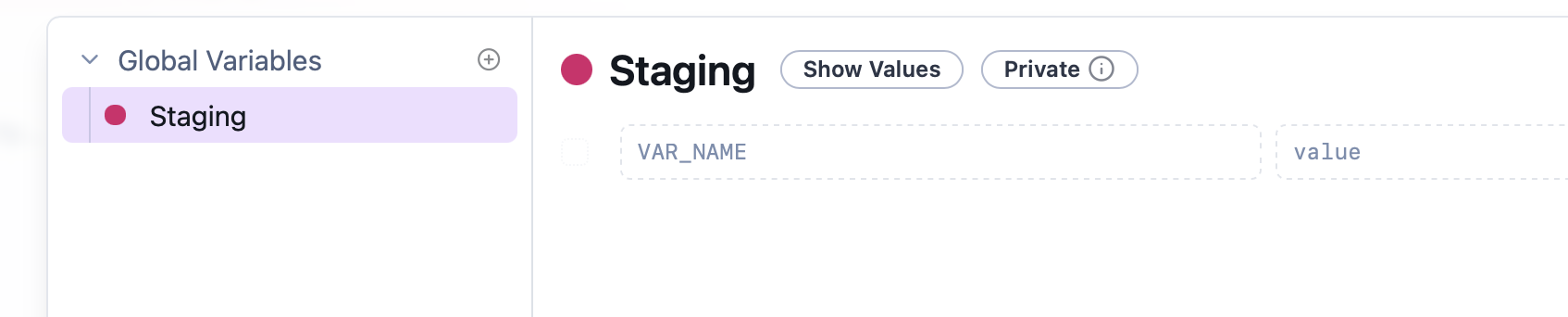
We can then define and set our variable.

- The name of the variable
- The value
We then create a second environment, Production, and also define a key for that.

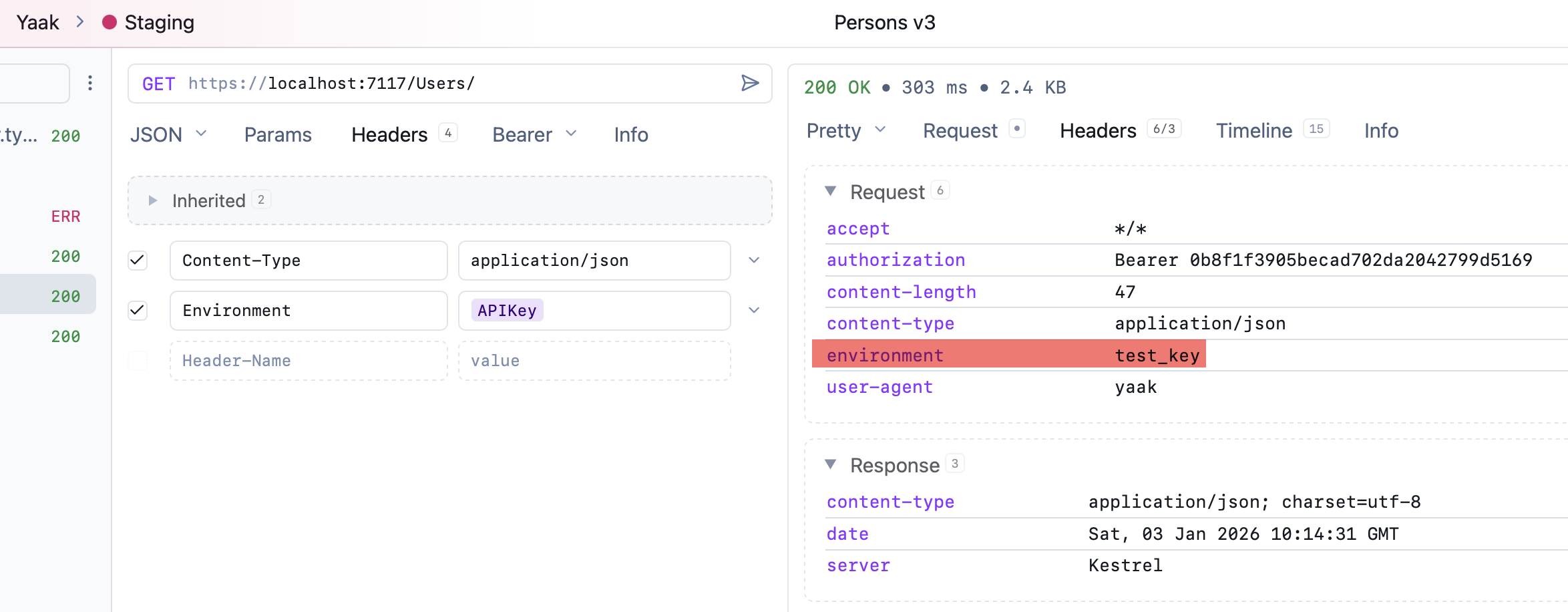
Finally, we set up our endpoint to populate the APIKey in the request as a header.
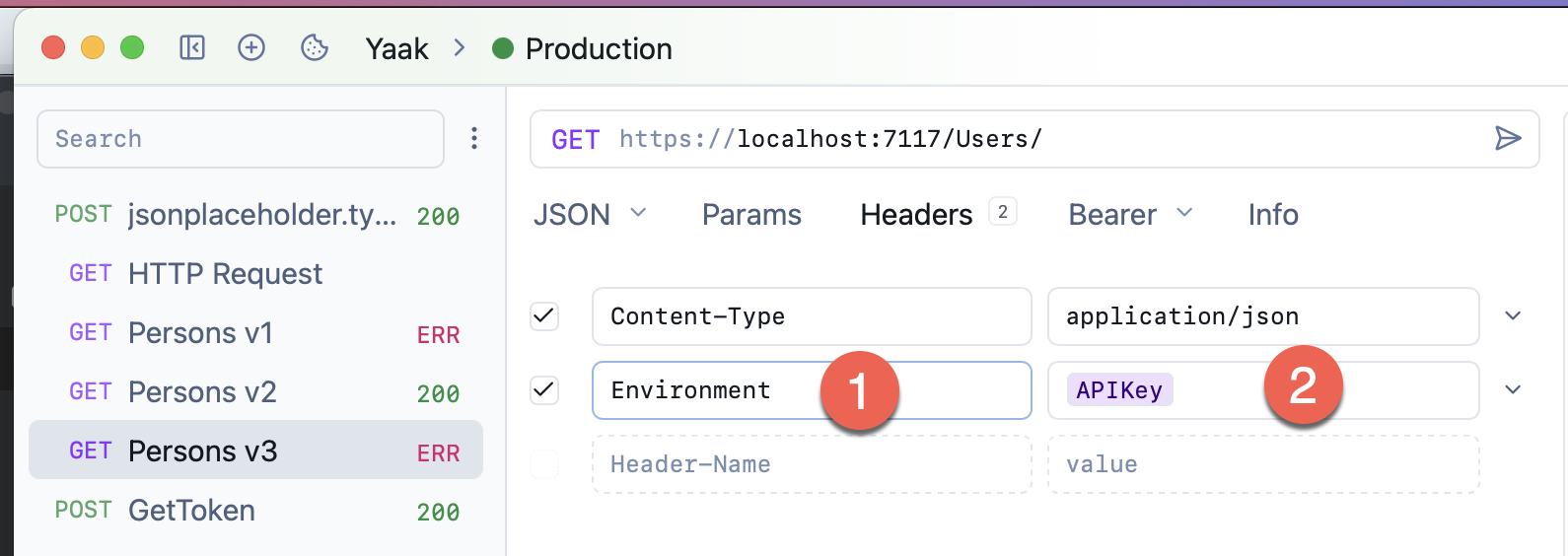
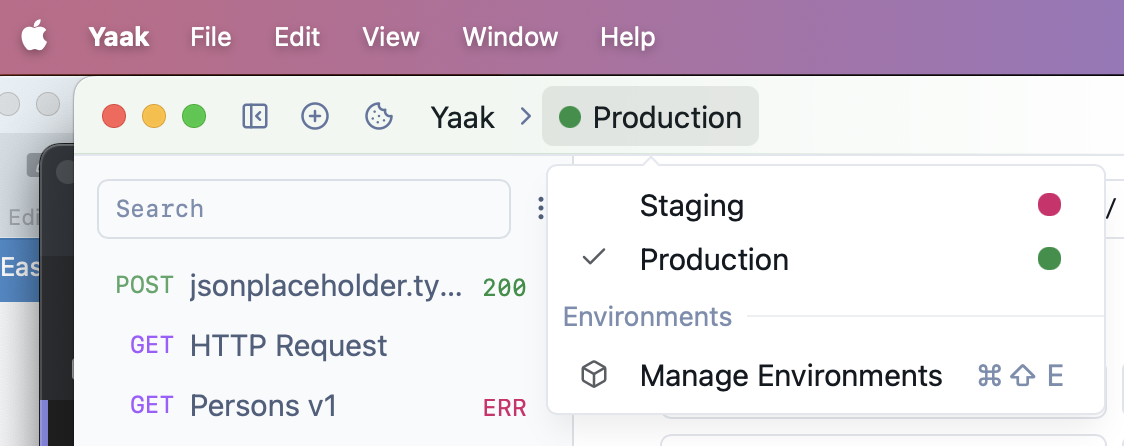
To set the appropriate header, we toggle the environment we want to user here:
For Staging:
For Production:
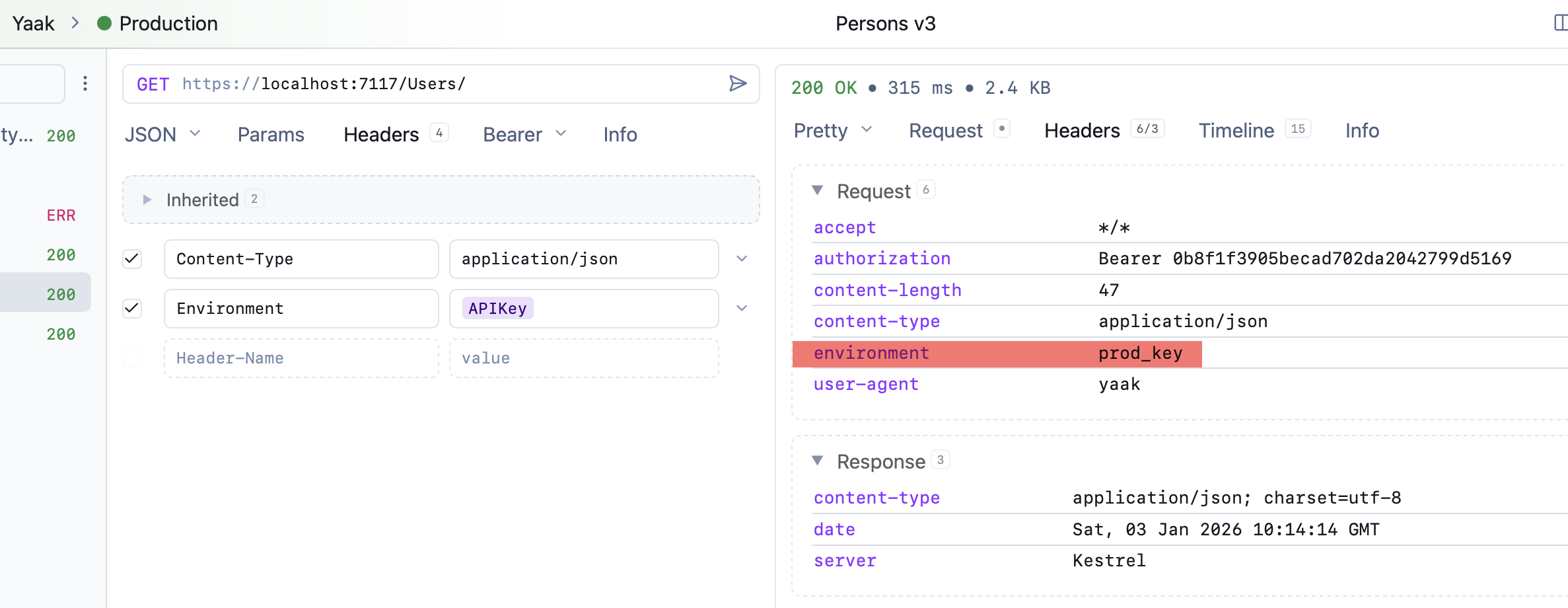
We can see in both environments that the key is set correctly.
TLDR
You can set up environments in Yaak to control environment-specific settings you want it to use.
Happy hacking!