
Dynamically Changing Decimal & Thousand Separators At Runtime
[C#, .NET]
This article is part of the 2025 C# Advent Calendar.
I participated in the 2024 C# Advent and posted “Customizing Object Equality In C# & .NET” and “Caching In .NET Applications & The Hybrid Cache”
Localization and other regional concerns are among the problems you will frequently run into when developing applications for use across different countries and locales.
Take, for example, this scenario.
You have a simple API that generates an export of some data, in a custom format dictated by the client.
The type the API deals with is as follows:
public sealed class Person
{
  public required string FirstName { get; init; }
  public required string Surname { get; init; }
  public required decimal Salary { get; init; }
}
This is exposed via a simple API as follows:
using System.Text;
using Bogus;

var builder = WebApplication.CreateBuilder(args);
var app = builder.Build();

app.MapGet("/Generate", () =>
{
    var faker = new Faker<Person>()
        .RuleFor(person => person.FirstName, faker => faker.Person.FirstName)
        .RuleFor(person => person.Surname, faker => faker.Person.LastName)
        .RuleFor(person => person.Salary, faker => faker.Random.Decimal(10_000, 99_000));
    var sb = new StringBuilder();
    foreach (var person in faker.Generate(10).ToList())
    {
        sb.AppendLine($"| {person.FirstName} | {person.Surname} | {person.Salary.ToString("0.00")} |");
    }

    return Results.Text(sb.ToString());
});

app.Run();
Here I am using the Bogus library to generate 10 Person instances, and I am using a seed of 0 so we always get the same results. (You can use any other number as a seed)
If we run this code, we get the following results:
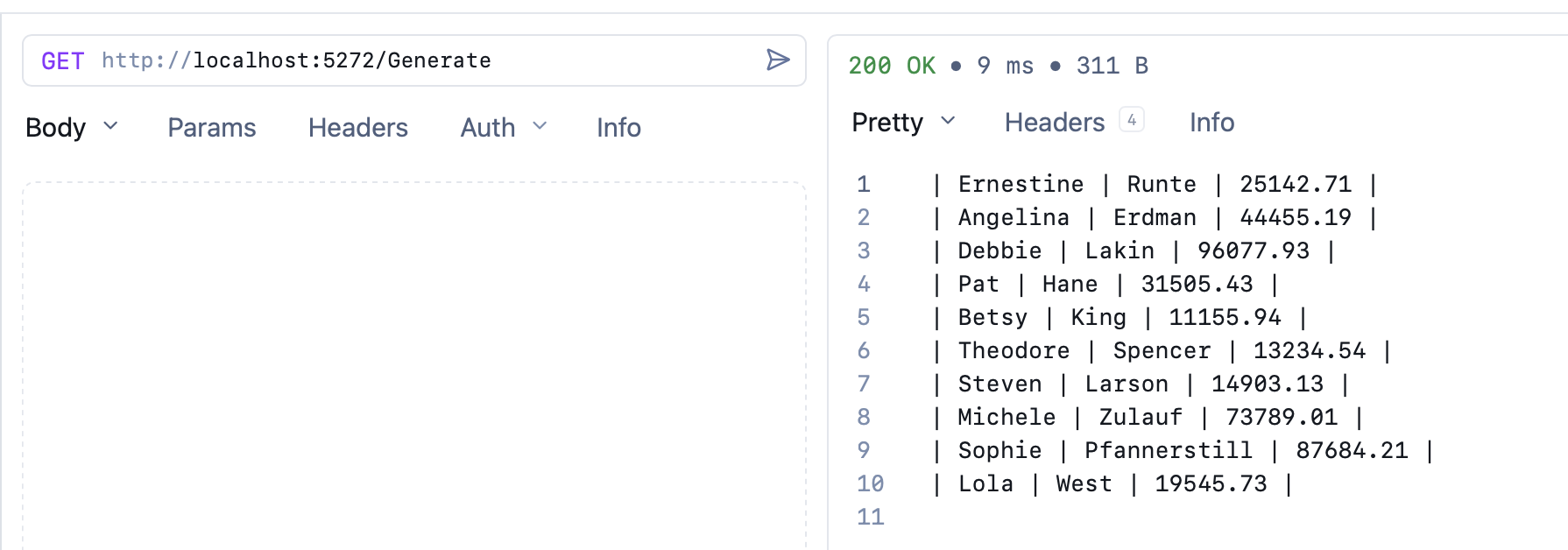
Here I am using the Yaak client.
| Ernestine | Runte | 25142.71 |
| Angelina | Erdman | 44455.19 |
| Debbie | Lakin | 96077.93 |
| Pat | Hane | 31505.43 |
| Betsy | King | 11155.94 |
| Theodore | Spencer | 13234.54 |
| Steven | Larson | 14903.13 |
| Michele | Zulauf | 73789.01 |
| Sophie | Pfannerstill | 87684.21 |
| Lola | West | 19545.73 |
Suppose the consumer then gives you the following information:
We have recently onboarded a new vendor for an upstream system, and they require the salary to use the comma as the decimal separator and the space as the thousand separator.
There are a number of solutions to this problem.
- Find an existing culture that uses this format and use that in our code
- Explicitly write code to do this heavy lifting for us.
Use an existing culture
From a quick search, the following countries indeed use this format:
- France
- Germany
- Switzerland
- Russia
- Sweden
- Finland
- Norway
Let us pick France.
We can update our code to use the French locale internally like this:
app.MapGet("/v2/Generate", () =>
{
  // Create an instance of the french locale
  var french = new CultureInfo("fr-FR");
  var faker = new Faker<Person>().UseSeed(0)
    .RuleFor(person => person.FirstName, faker => faker.Person.FirstName)
    .RuleFor(person => person.Surname, faker => faker.Person.LastName)
    .RuleFor(person => person.Salary, faker => faker.Random.Decimal(10_000, 99_000));
  var sb = new StringBuilder();
  foreach (var person in faker.Generate(10).ToList())
  {
      // Format the salary
      sb.AppendLine($"| {person.FirstName} | {person.Surname} | {person.Salary.ToString("0,0.00", french)} |");
  }

  return Results.Text(sb.ToString());
});
This will output the following:
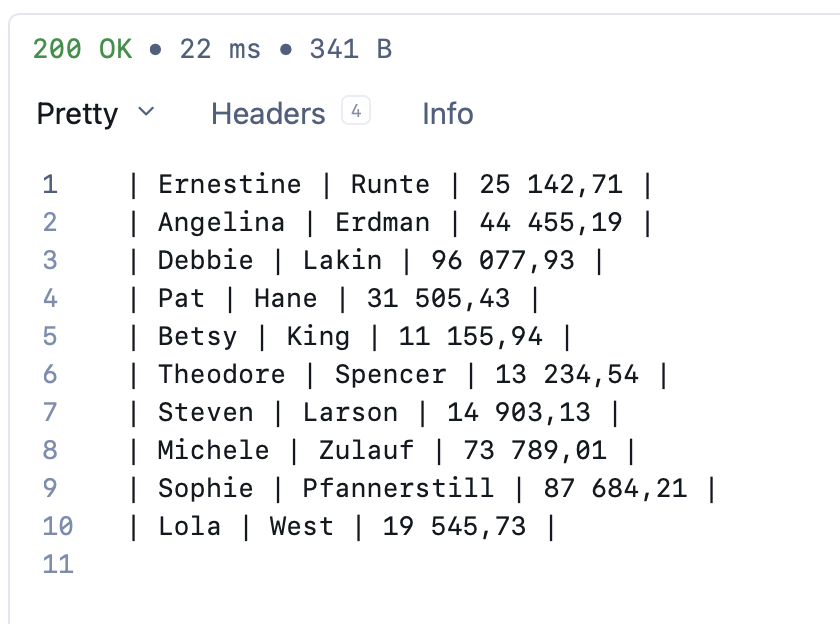
So far, so good.
There are, however, some problems with this approach.
- If the separators change, you will need to find another locale that meets those requirements.
- Even if the separators remain the same, if additional fields are added in the future, like
DateandTime, you are stuck with the French date and time formatting.
A better option is to do it ourselves.
Explicit custom formatting
Here we have two options:
- Create a completely new locale and configure it as appropriate
- Take an existing locale and change just the bits that we need.
The second option is simpler.
First, we will need to create a class that stores our settings.
public sealed class Settings
{
    [Required(AllowEmptyStrings = true)] public string DecimalSeparator { get; set; } = ".";
    [Required(AllowEmptyStrings = true)] public string ThousandSeparator { get; set; } = ",";
}
We are adding the Required attribute so that the runtime will validate that they are provided at startup. We are setting AllowEmptyStrings to true; otherwise, the runtime will reject a space.
Next, we configure our ASP.NET pipeline to register this class as an injectable option.
var builder = WebApplication.CreateBuilder(args);
// Register our settings
builder.Services.AddOptions<Settings>()
    .Bind(builder.Configuration.GetSection(nameof(Settings)))
    .ValidateDataAnnotations()
    .ValidateOnStart();
Next, we update our endpoint signature to inject the options.
app.MapGet("/v3/Generate", (IOptions<Settings> options) =>
{
  // Fetch the settings into a variable
  var settings = options.Value;
  //
  // Code
  //
});
Next, we update the endpoint body to clone an existing locale and configure our behaviour using the injected Settings.
app.MapGet("/v3/Generate", (IOptions<Settings> options) =>
{
  var settings = options.Value;
  // We are cloning an existing one instead of creating a new one
  // to avoid the need to specify all the settings.
  var numberFormatInfo = (NumberFormatInfo)
  CultureInfo.InvariantCulture.NumberFormat.Clone();
  // Set the formats
  numberFormatInfo.NumberDecimalSeparator = settings.DecimalSeparator;
  numberFormatInfo.NumberGroupSeparator = settings.ThousandSeparator;
  var faker = new Faker<Person>().UseSeed(0)
    .RuleFor(person => person.FirstName, faker => faker.Person.FirstName)
    .RuleFor(person => person.Surname, faker => faker.Person.LastName)
    .RuleFor(person => person.Salary, faker => faker.Random.Decimal(10_000, 99_000));
  var sb = new StringBuilder();
  foreach (var person in faker.Generate(10).ToList())
  {
    sb.AppendLine(
    $"| {person.FirstName} | {person.Surname} | {person.Salary.ToString("0,0.00", numberFormatInfo)} |");
  }

  return Results.Text(sb.ToString());
});
Finally, we update the appsettings.json to add our new settings.
{
  "Logging": {
    "LogLevel": {
      "Default": "Information",
      "Microsoft.AspNetCore": "Warning"
    }
  },
  "Settings": {
    "DecimalSeparator": ".",
    "ThousandSeparator": ","
  },
  "AllowedHosts": "*"
}
This is the new section:
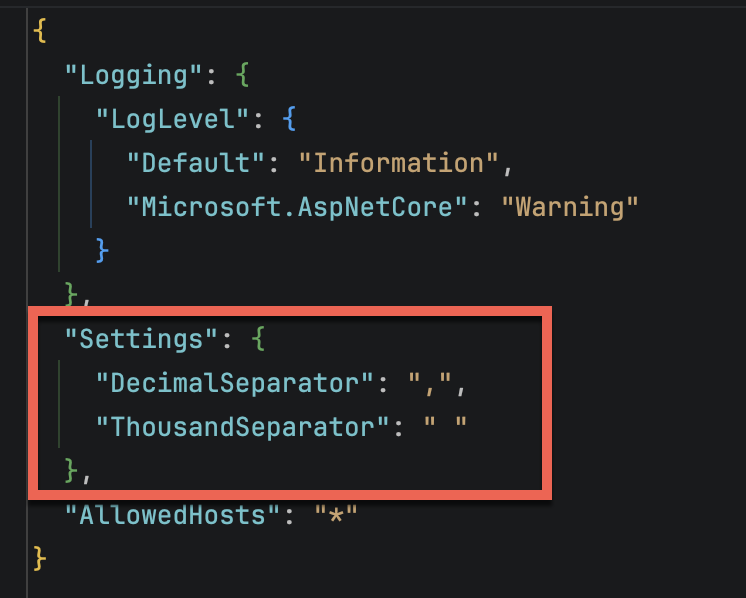
If we run this code, we should get the same result:
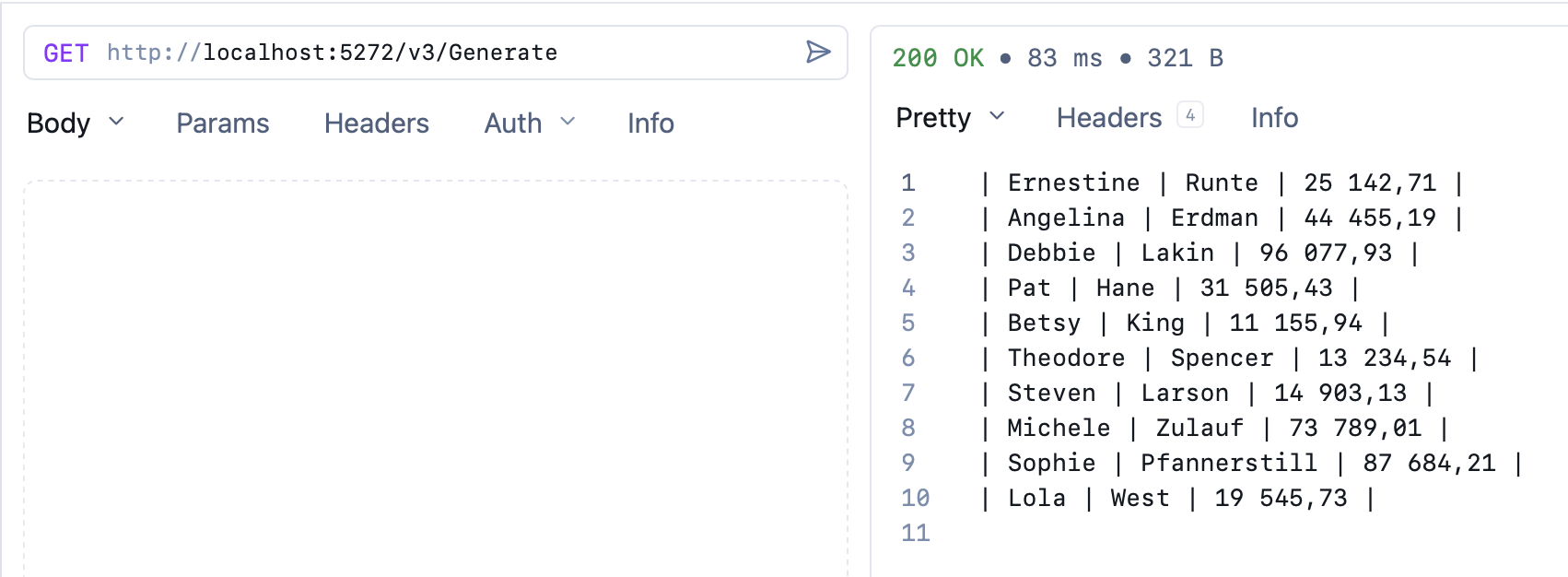
The benefit of this technique is that if we subsequently need to handle the formatting of things like dates, the same technique can be leveraged, only this time we will me modifying the DateTimeInfo.
TLDR
You can control the formatting of values for exotic requests very flexibly by modifying existing locales to suit your purposes.
The code is in my Github.
Happy hacking!