
How To Compress A File Using GZip In C# & .NET
[C#, .NET, Compression]
A few recent posts, How To Zip A Single File In C# & .NET, How To UnZip A Single File In C# & .NET, How To Zip Multiple Files In C# & .NET, How To UnZip Multiple Files In C# & .NET, looked at how to compress and decompress zip files.
Another compression format you will run into, especially in the Linux, Unix, and MacOS worlds, is the gzip format.
The System.IO.Compression namespace contains classes that enable working with the gzip format.
Our project structure is as follows:
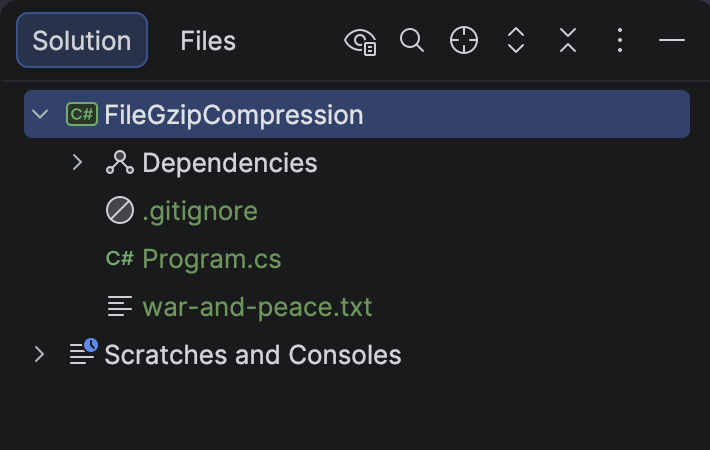
The file we will be working with is war-and-peace.txt.
To ensure the file is copied to the output folder, we add the following to the .csproj file.
<ItemGroup>
  <None Include="war-and-peace.txt">
  	<CopyToOutputDirectory>PreserveNewest</CopyToOutputDirectory>
  </None>
</ItemGroup>
The code is as follows:
using System.IO.Compression;
using System.Reflection;
using Serilog;

Log.Logger = new LoggerConfiguration()
    .WriteTo.Console()
    .CreateLogger();

const string fileName = "war-and-peace";

// Extract the current folder where the executable is running
var currentFolder = Path.GetDirectoryName(Assembly.GetExecutingAssembly().Location)!;
var sourceFile = Path.Combine(currentFolder, $"{fileName}.txt");
var targetFile = Path.Combine(currentFolder, $"{fileName}.gz");

// Create a gzip stream for the target
using (var gzip = new GZipStream(File.Create(targetFile), CompressionLevel.Optimal))
{
    // Read the source file and copy into the gzip stream
    using (var input = File.OpenRead(sourceFile))
    {
        input.CopyTo(gzip);
    }
}

Log.Information("Written {SourceFile} to {TargetFile}", sourceFile, targetFile);
If we run the code, we will see the following output:

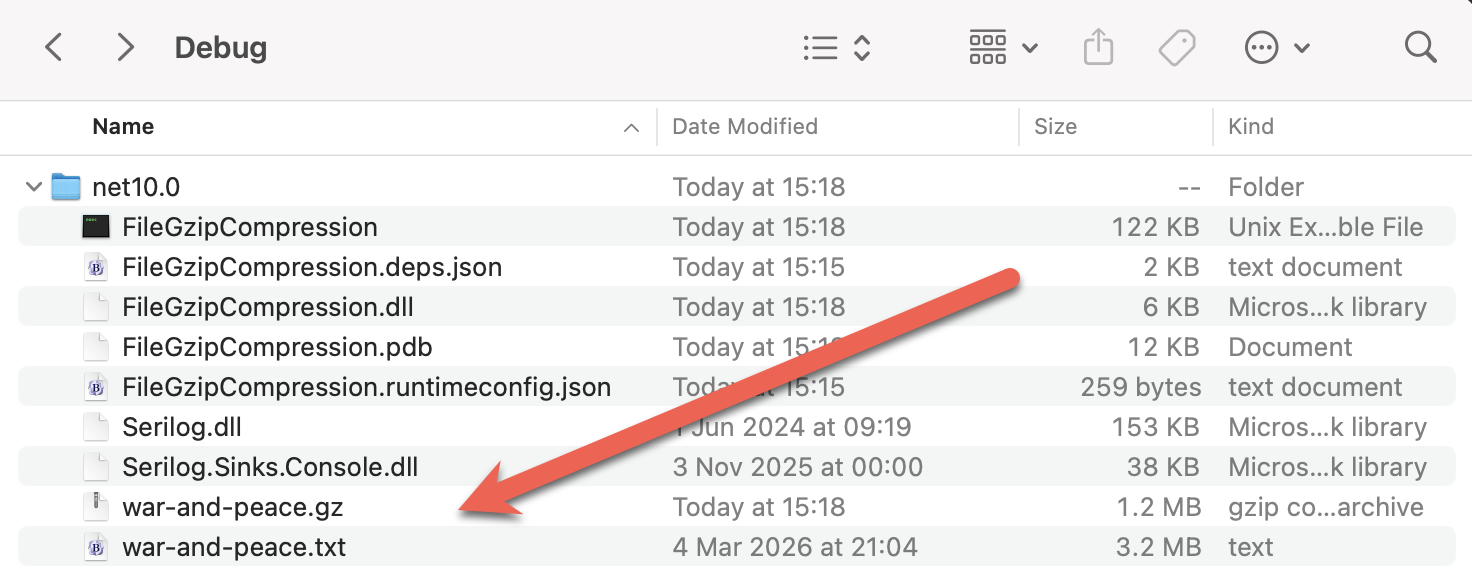
And if we examine the folder:
TLDR
System.IO.Compression contains the GzipStream class that allows you to write files compressed with gzip.
The code is in my GitHub.
Happy hacking!