
How To Log Complex Objects With Serilog
[C#, .NET, Logging, Serilog]
When it comes to logging, the de facto standard is the Serilog library.
This works using the concepts of sinks, which are targets to which you send your log data.
The most common sinks are
Prior to writing your logs, you typically set it up like this:
Log.Logger = new LoggerConfiguration()
	.WriteTo.Seq("http://localhost:5341")
	.CreateLogger();
Here I am using the Seq sink.
We can then write our logs like this:
string fruit = "Apple";

Log.Information("The fruit is a {Fruit}", fruit);
There are two important elements here - the string template and the actual value.
If we view the logs in Seq, they look like this:
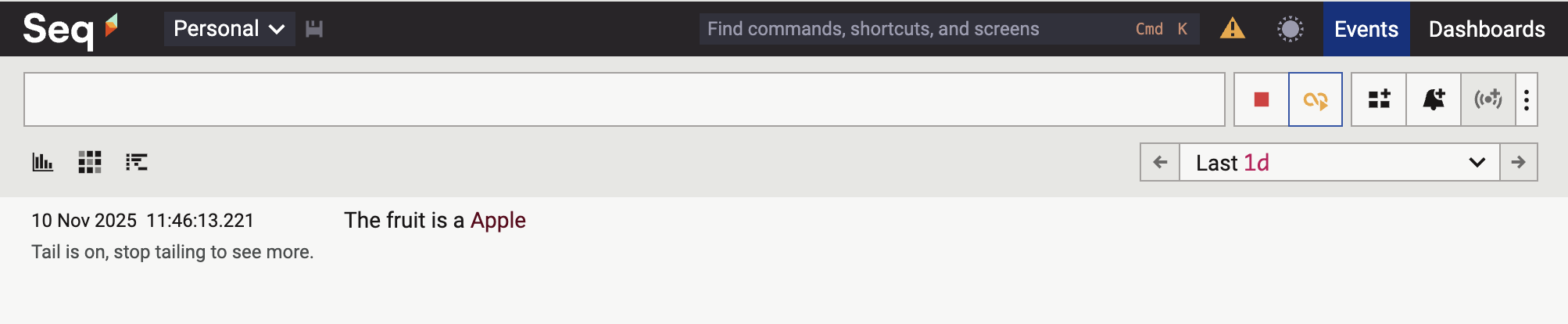
If we expand the entry, it looks like this:
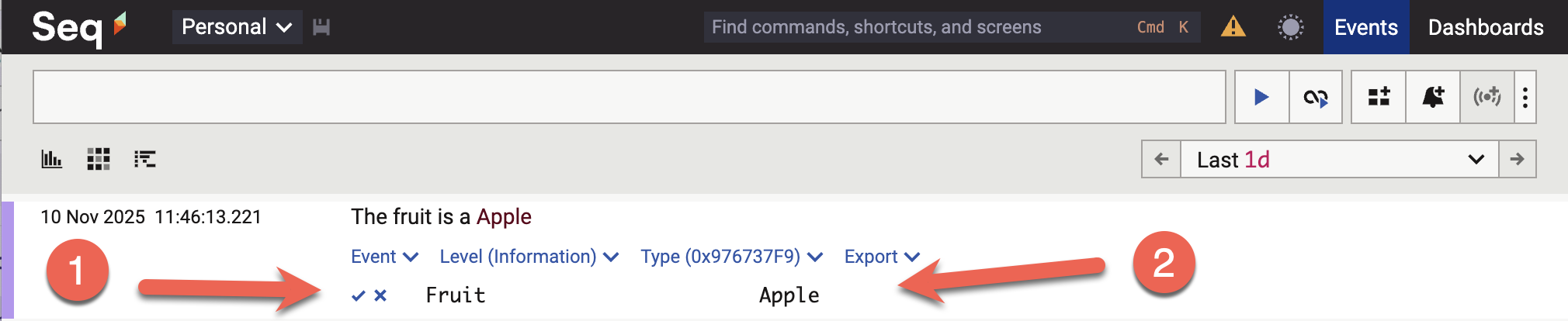
Here, we can see that the property is Fruit, and the value is Apple.
Suppose we need to log a complex property, like this:
public class Animal
{
    public string Name { get; set; }
    public int Legs { get; set; }
}
We can try and log it in the usual way:
var animal = new Animal { Name = "Dog", Legs = 4 };
Log.Information("Here is the {Animal}", animal);
This will not do what you think it does.
The line entry will look like this:

And the expanded entry will look like this:

The details of the Animal object are lost.
The correct way to log a complex object is to prefix the template placeholder with the @ symbol.
This is called destructuring.
var animal = new Animal { Name = "Dog", Legs = 4 };
Log.Information("Here is the {@Animal}", animal);
This will log the following:
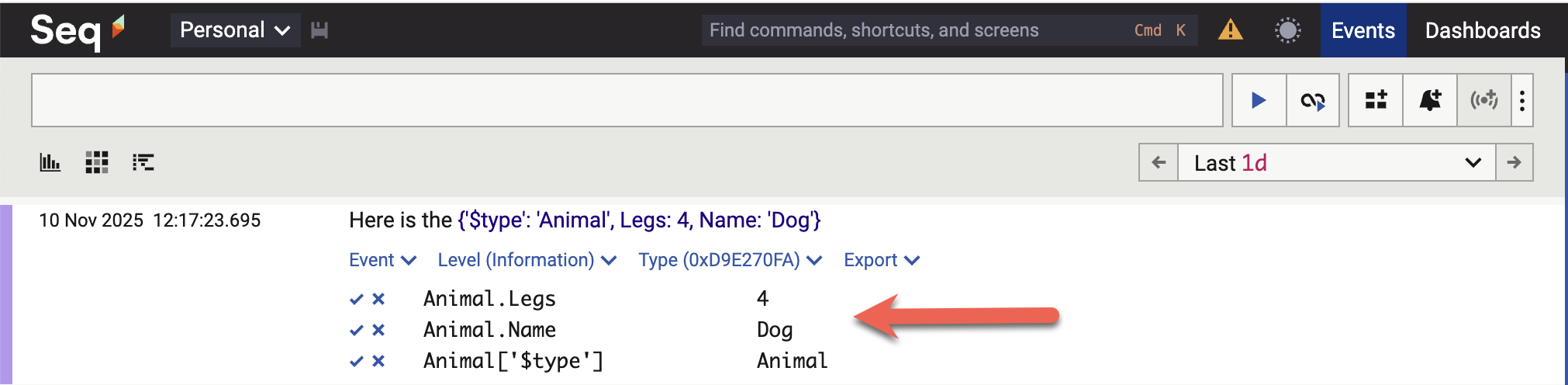
Here you can see that the Animal type has been decomposed into its constituent properties.
Of importance to note is that the object’s properties are separately logged and can be used for searching and filtering.
For example, if we have code like this:
var animal = new Animal { Name = "Dog", Legs = 4 };
Log.Information("Here is the {@Animal}", animal);
animal = new Animal { Name = "Bird", Legs = 2 };
Log.Information("Here is the {@Animal}", animal);
We can filter on Seq like this:
Animal.Legs = 2
And this will be returned:
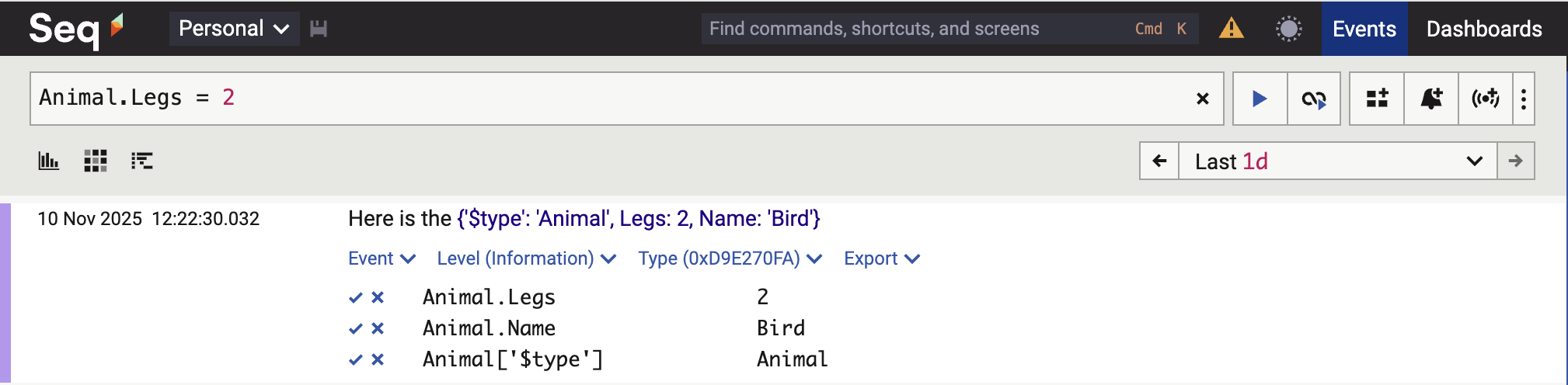
We can even do this:
Animal.Legs > 2

TLDR
The proper way to log complex objects with Serilog is to use destructuring.
The code is in my GitHub.
Happy hacking!