
How To Remove Multiple Docker Images
[Docker]
When it comes to Docker (and you ARE using Docker, aren’t you?), housekeeping is something you will find yourself doing fairly often.
This is generally due to:
- Outdated images
- Better images e.g. smaller images based on Alpine Linux, rather than Ubuntu or Debian
- Unused images
You can list the images you have using the docker images command, like so:
docker images
This will list the images you currently have.
You will get a response like this:
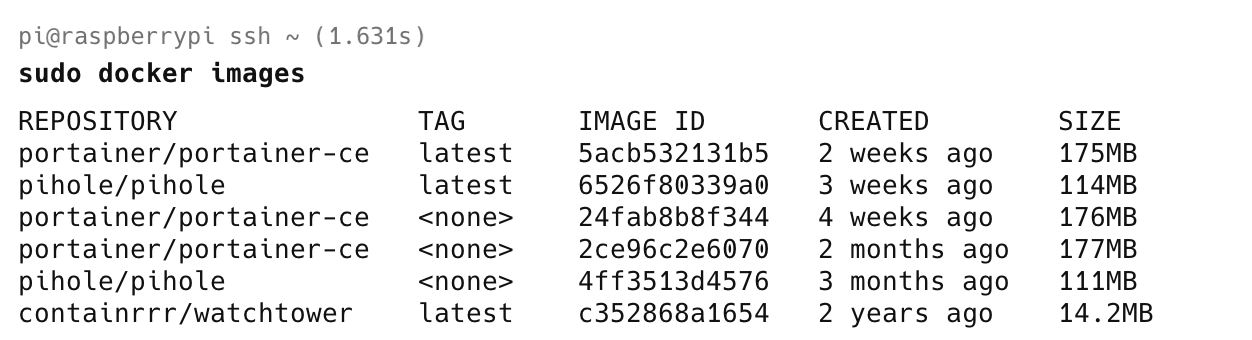
Here, it is clear that there are two outdated images of the container portainer-ce.
There are multiple ways to deal with this.
The first is to remove them one by one, using their tags, with the command docker rm, like this:
docker rm 24fab8b8f344
docker rm 2ce96c2e6070
docker rm 4ff3513d4576
Alternatively, you can remove them with a single command.
docker rm 24fab8b8f344 2ce96c2e6070 4ff3513d4576
You can also make use of the fact that you only need to provide enough of the leading tag to be unique.
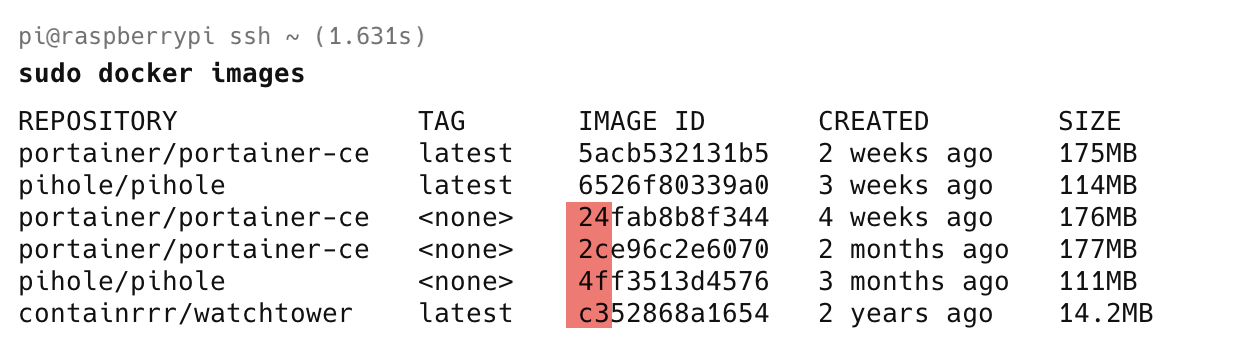
In other words, you can do it this way:
docker rmi 24 2c 4f
These commands will all achieve the same thing: removing images you no longer want.
TLDR
You can remove multiple docker images with a single command.
Happy hacking!