
How To UnZip Multiple Files In C# & .NET
[C#, .NET, Compression]
In yesterday’s post, How To Zip Multiple Files In C# & .NET, we looked at how zip multiple files into a single zip file.
Previously, in another post, How To UnZip A Single File In C# & .NET, we looked at how to unzip a single zip file.
In today’s post, we will look at the opposite: how to extract the contents of a zip file that contains multiple files.
The project structure is as follows:
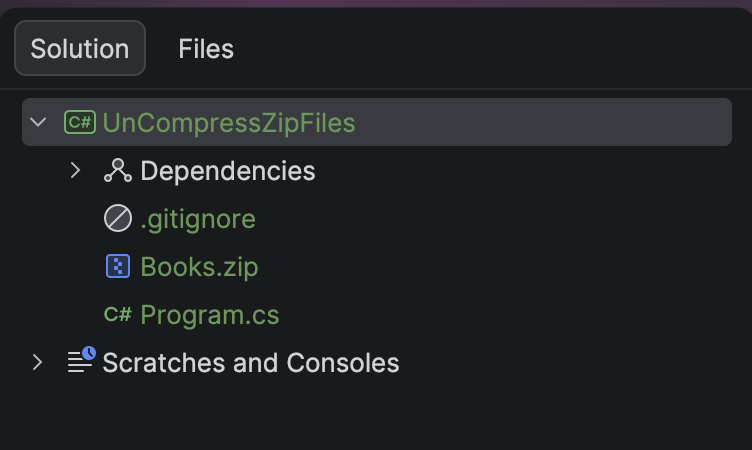
The source zip file, Books.zip, is in the root folder.
To ensure it is copied to the output folder, insert the following into the .csproj file.
<ItemGroup>
  <None Include="Books.zip">
  	<CopyToOutputDirectory>PreserveNewest</CopyToOutputDirectory>
  </None>
</ItemGroup>
As expected, we will use the ZipFile class for the heavy lifting.
The code is as follows:
using System.IO.Compression;
using System.Reflection;
using Serilog;

Log.Logger = new LoggerConfiguration()
    .WriteTo.Console().CreateLogger();

const string sourceZipFileName = "Books.zip";
const string targetFolderName = "ExtractedBooks";

// Extract the current folder where the executable is running
var currentFolder = Path.GetDirectoryName(Assembly.GetExecutingAssembly().Location);
// Construct path to the source zip file
var sourceZipFile = Path.Combine(currentFolder!, sourceZipFileName);
// Construct target path for extraction
var targetFolder = Path.Combine(currentFolder!, targetFolderName);
// Open the zip file and extract file to the target directory
await ZipFile.ExtractToDirectoryAsync(sourceZipFile, targetFolder);

Log.Information("Written {SourceZipFile} to {TargetTextFile}", sourceZipFileName, targetFolderName);
The magic is happening here in the ExtractToDirectoryAsync method of the ZipFile class.
It extracts all files from the zip file and places them in a specified folder.
If we run this code, we get the following output:

If we look at the folder, we should see the following:
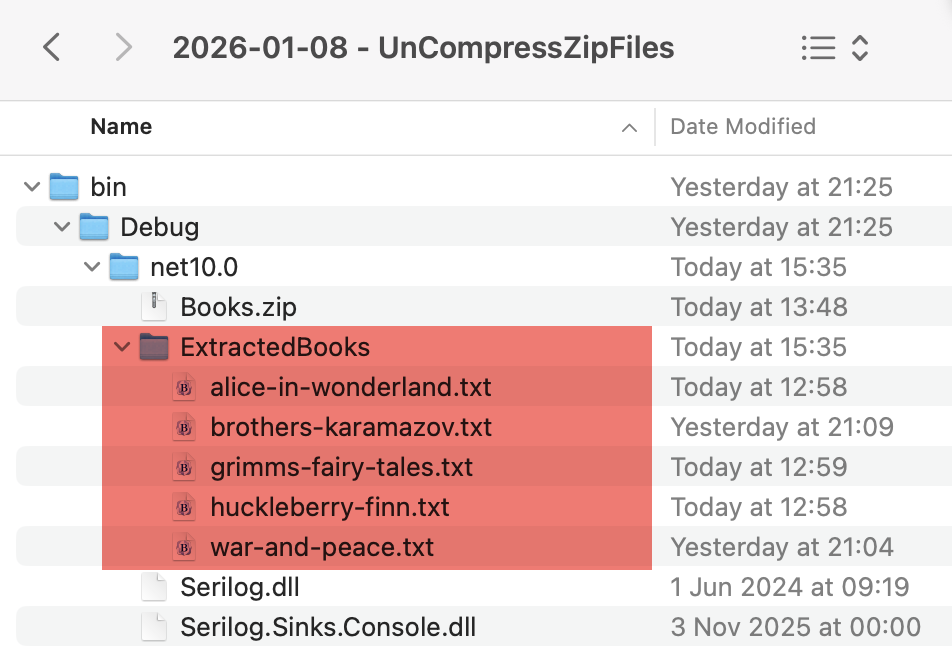
We can see our books have been placed in the new ExtractedBooks folder.
TLDR
The ZipFileClass has an ExtractToDirectoryAsync that you can use to extract multiple files from a zip file into a single, specified folder.
The code is in my GitHub.
Happy hacking!