
How To Zip A Single File In C# & .NET
[C#, .NET, Compression]
Thanks to the wonders of compression algorithms, we can now store much more of our data in the same amount of storage.
A ubiquitous compression format in use today is the Zip format, which builds on the ARC format.
We can leverage this in .NET without using third-party libraries, as what we need is available in the System.IO and System.IO.Compression namespaces.
For this, we use the ZipFile class for the heavy lifting.
The code is as follows:
using System.IO.Compression;
using System.Reflection;
using Serilog;

Log.Logger = new LoggerConfiguration()
    .WriteTo.Console().CreateLogger();

const string sourceFile = "war-and-peace.txt";

// Extract the current folder where the executable is running
var currentFolder = Path.GetDirectoryName(Assembly.GetExecutingAssembly().Location);
// Construct the full path to the zip file
var targetZipFile = Path.Combine(currentFolder!, "war-and-peace.zip");

// Check if zip file exists. If so, delete it
if (File.Exists(targetZipFile))
    File.Delete(targetZipFile);

// Create a zip file with the maximum compression
await using (var archive = await ZipFile.OpenAsync(targetZipFile, ZipArchiveMode.Create))
{
    await archive.CreateEntryFromFileAsync(sourceFile, Path.GetFileName(sourceFile), CompressionLevel.SmallestSize);
}

Log.Information("Written {SourceFile} to {TargetZipFile}", sourceFile, targetZipFile, targetZipFile);
For this, I am using the novel War and Peace by Leo Tolstoy, available legally as a text file here.
The project structure is as follows:
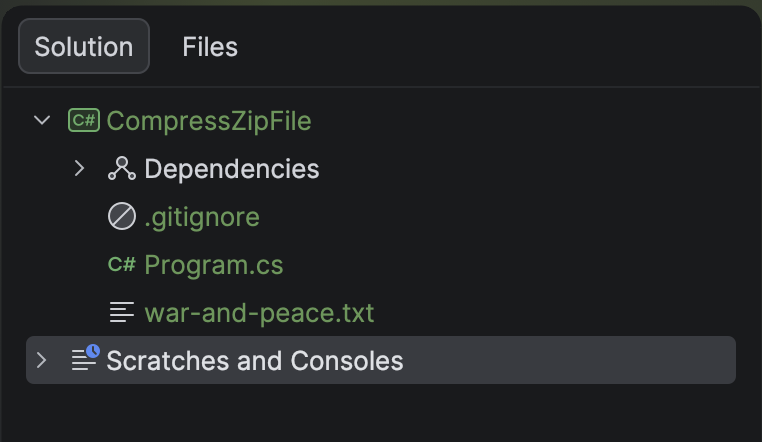
To ensure the text file is copied to the output folder, update the .csproj to add the following:
<ItemGroup>
  <None Include="war-and-peace.txt">
  	<CopyToOutputDirectory>PreserveNewest</CopyToOutputDirectory>
  </None>
</ItemGroup>
If we run this code, it will print the following:

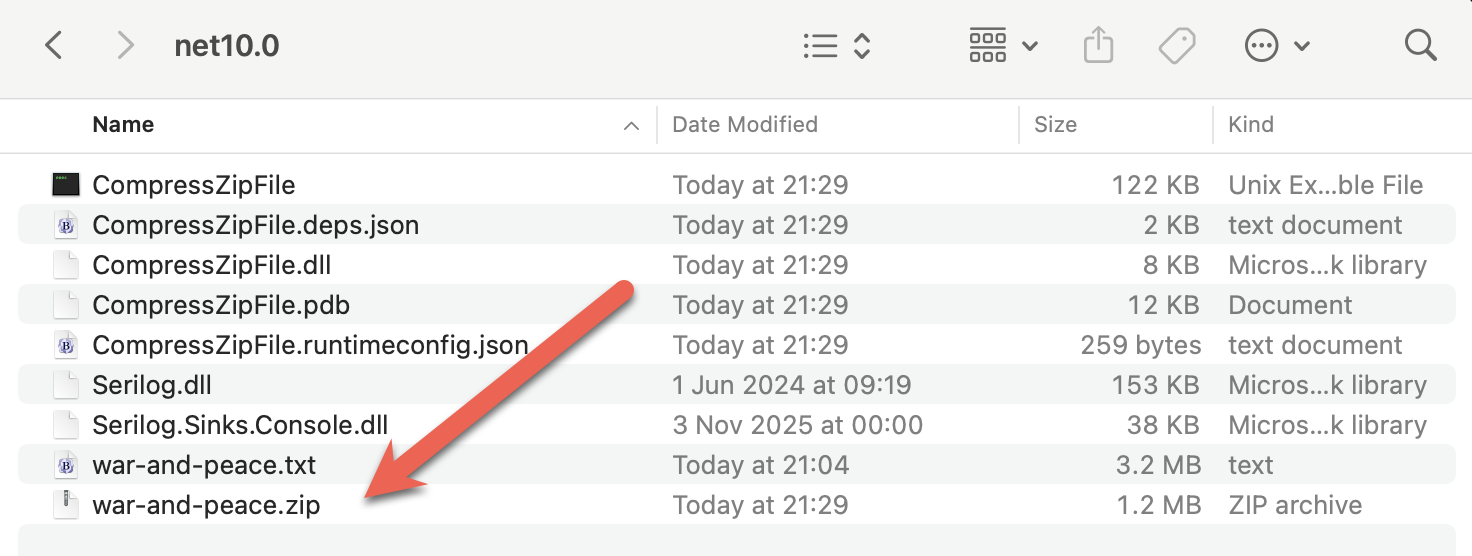
You can verify that it is the same by extracting it using your favourite tool.
TLDR
System.IO and System.IO.Compression contain the ZipFile class that you can use to create Zip files.
The code is in my GitHub.
Happy hacking!