
Leveraging LDAP Authentication in C# & .NET
[C#, .NET, Security]
When it comes to authentication, there are lots of solutions on the table, ranging from custom, hand-rolled solutions to elaborate ones like OAuth.
One option on the table is to leverage the LDAP protocol, which is available on multiple operating systems, including Windows.
If your application requires authentication, especially in a domain context, rather than rolling out your own database-based solution, you can leverage something like Active Directory and delegate authentication to it.
The solution for this is in the System.DirectoryServices.Protocols package.
First, we create an interface that we will build on to implement multiple Authentators.
namespace Authenticators;

public interface IAuthenticator
{
    public void Authenticate(string username, string password);
}
This has a single method that takes a username and a password.
Our logic is as follows:
- If authentication succeeds, do nothing (return
void) - If authentication fails, throw an Exception.
Rather than throw a generic Exception, let us create a custom one.
namespace Authenticators;

public class AuthenticationException : Exception
{
    public AuthenticationException(string message) : base(message)
    {
    }

    public AuthenticationException(string message, Exception exception) : base(message, exception)
    {
    }
}
Designing and writing an Authenticator to support testing is a bit of a challenge, but we can take several steps to mitigate it.
Here we turn to our old friend, Moq so that we can write behaviour tests.
We will use this to define our expected behavior.
using Authenticators;
using AwesomeAssertions;
using Moq;

namespace Tests;

[Trait("Category", "Behaviour")]
public class AuthenticatorBehaviourTests
{
    private readonly IAuthenticator _authenticator;

    public AuthenticatorBehaviourTests()
    {
        // Set up our mock
        var sut = new Mock<IAuthenticator>();
        // Configure success path for a valid password
        sut.Setup(x => x.Authenticate("username", "ValidPassword"));
        // Configure success path for an invalid password
        sut.Setup(x =>
                x.Authenticate(It.IsNotIn("username"), It.IsNotIn("ValidPassword")))
            .Throws<AuthenticationException>();

        // Get an instance from the mock
        _authenticator = sut.Object;
    }

    [Fact]
    public void Authenticator_Behavior_Valid_Password_Authenticates()
    {
        var act = () => _authenticator.Authenticate("username", "ValidPassword");
        act.Should().NotThrow();
    }

    [Fact]
    public void Authenticator_Behavior_Invalid_Password_Authenticates()
    {
        var act = () => _authenticator.Authenticate("username", "InvalidPassword");
        act.Should().Throw<AuthenticationException>();
    }
}
If we run our tests, they should pass.
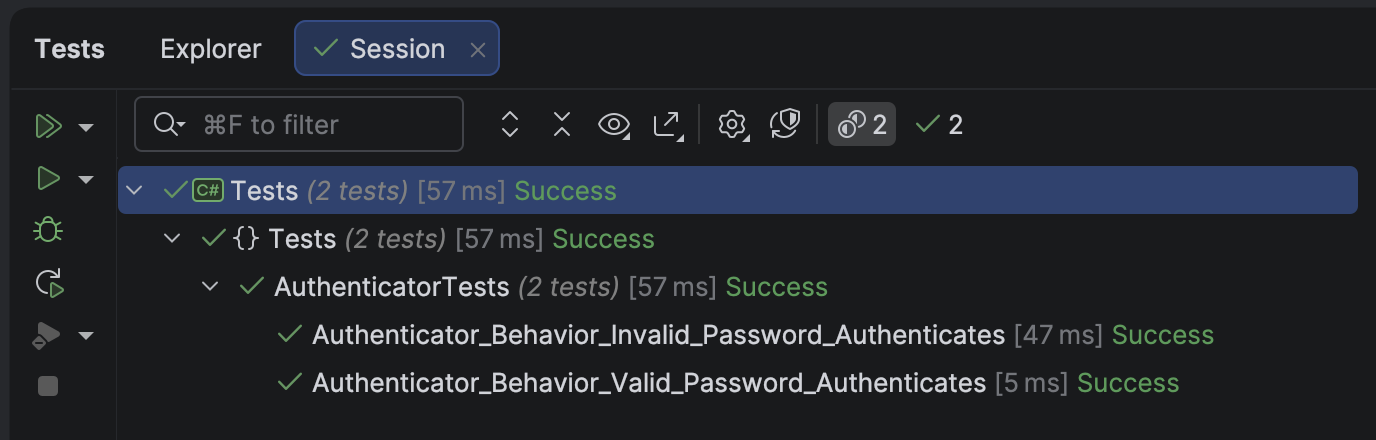
Next, we implement a FakeLDAPAuthenticator, so we can inject it for testing.
namespace Authenticators;

public sealed class FakeLDAPAuthenticator : IAuthenticator
{
    // This simulates a user database
    private readonly IReadOnlyDictionary<string, string> _users;

    public FakeLDAPAuthenticator()
    {
        _users = new Dictionary<string, string>
        {
            ["user1"] = "password1",
            ["user2"] = "password2",
            ["user3"] = "password3"
        };
    }

    public void Authenticate(string username, string password)
    {
        if (!(_users.TryGetValue(username, out var storedPassword)
              && storedPassword == password))
            throw new AuthenticationException("LDAP authenticator failed");
    }
}
Some tests to verify all is well:
using Authenticators;
using AwesomeAssertions;

namespace Tests;

[Trait("Category", "Fake LDAP")]
public class FakeLDAPAuthenticatorTests
{
    private readonly FakeLDAPAuthenticator _authenticator;

    public FakeLDAPAuthenticatorTests()
    {
        _authenticator = new FakeLDAPAuthenticator();
    }

    [Fact]
    public void Valid_Username_And_ValidPassword_Succeeds()
    {
        var act = () => _authenticator.Authenticate("user1", "password1");
        act.Should().NotThrow();
    }

    [Fact]
    public void Valid_Username_And_InValidPassword_Fails()
    {
        var act = () => _authenticator.Authenticate("user1", "FAIL");
        act.Should().Throw<AuthenticationException>();
    }

    [Fact]
    public void Valid_Username_And_ValidPassword_For_Different_User_Fails()
    {
        var act = () => _authenticator.Authenticate("user1", "password2");
        act.Should().Throw<AuthenticationException>();
    }

    [Fact]
    public void Invalid_Username_And_InValidPassword_For_Different_User_Fails()
    {
        var act = () => _authenticator.Authenticate("INVALID", "INVALID");
        act.Should().Throw<AuthenticationException>();
    }
}
Finally, we write the LDAPAuthenticator.
using System.DirectoryServices.Protocols;
using System.Net;

namespace Authenticators;

public sealed class LDAPAuthenticator : IAuthenticator
{
    private readonly string _domain;

    public LDAPAuthenticator(string domain)
    {
        ArgumentException.ThrowIfNullOrEmpty(domain);
        _domain = domain;
    }

    public void Authenticate(string username, string password)
    {
        ArgumentException.ThrowIfNullOrEmpty(username);
        ArgumentException.ThrowIfNullOrEmpty(username);
        try
        {
            var ldap = new LdapConnection(new LdapDirectoryIdentifier(_domain))
            {
                AuthType = AuthType.Basic
            };

            var credential = new NetworkCredential(username, password);

            ldap.Bind(credential);
        }
        catch (Exception ex)
        {
            throw new Exception("Error authenticating user!", ex);
        }
    }
}
Our integration tests will look like this:
using Authenticators;
using AwesomeAssertions;

namespace Tests;

[Trait("Category", "LDAP")]
public class LDAPAuthenticatorTests
{
    [Theory]
    [InlineData("yourDomain.com", "yourUser", "yourPassword")]
    public void Valid_Username_And_ValidPassword_Succeeds(string domain, string user, string password)
    {
        var authenticator = new LDAPAuthenticator(domain);
        var act = () => authenticator.Authenticate(user, password);
        act.Should().NotThrow();
    }

    [Theory]
    [InlineData("yourDomain.com", "yourUser", "INVALID")]
    public void Valid_Username_And_InValidPassword_Fails(string domain, string user, string password)
    {
        var authenticator = new LDAPAuthenticator(domain);
        var act = () => authenticator.Authenticate(user, password);
        act.Should().Throw<AuthenticationException>();
    }

    [Fact]
    public void Null_Domain_Throws_Exception()
    {
        var act = () => new LDAPAuthenticator("");
        act.Should().Throw<ArgumentException>();
    }

    [Fact]
    public void Null_UserName_Throws_Exception()
    {
        var authenticator = new LDAPAuthenticator("yourDomain.com");
        var act = () => authenticator.Authenticate("", "password");
        act.Should().Throw<ArgumentException>();
    }

    [Fact]
    public void Null_Password_Throws_Exception()
    {
        var authenticator = new LDAPAuthenticator("yourDomain.com");
        var act = () => authenticator.Authenticate("user", "");
        act.Should().Throw<ArgumentException>();
    }
}
In this way, we can leverage LDAP authentication in our applications.
TLDR
You can leverage LDAP using types in the System.DirectoryServices.Protocols namespace.
The code is in my GitHub.
Happy hacking!