Turing Off Capture Of Cursor In SnagIt
[SnagIt, Tools]
For over a decade now, my goto for screen capture has always been TechSmith’s SnagIt.
By default, when you take a screen capture using SnagIt, it will look like this:
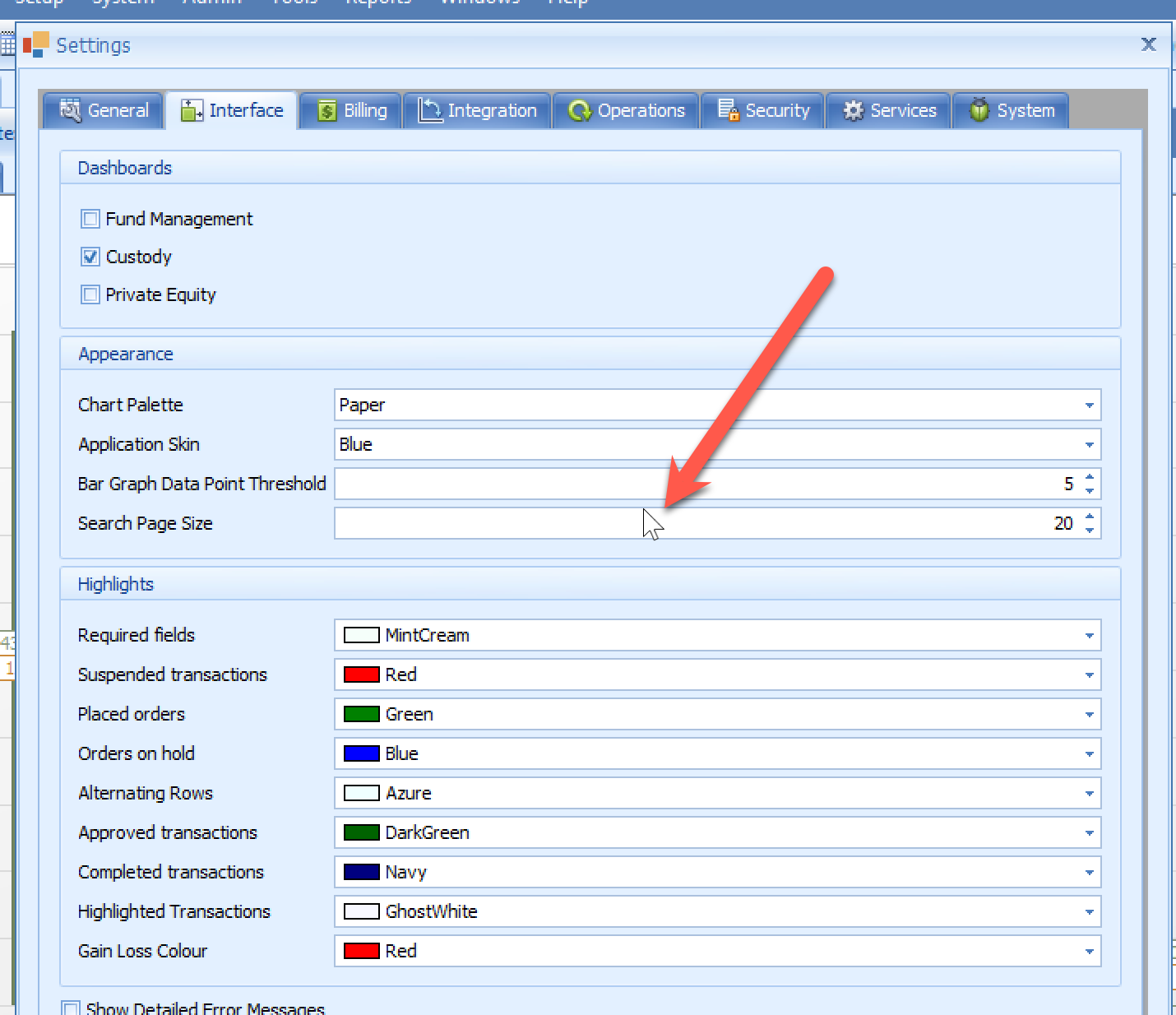
Note that the location of the cursor.
This you can delete by selecting it and deleting.
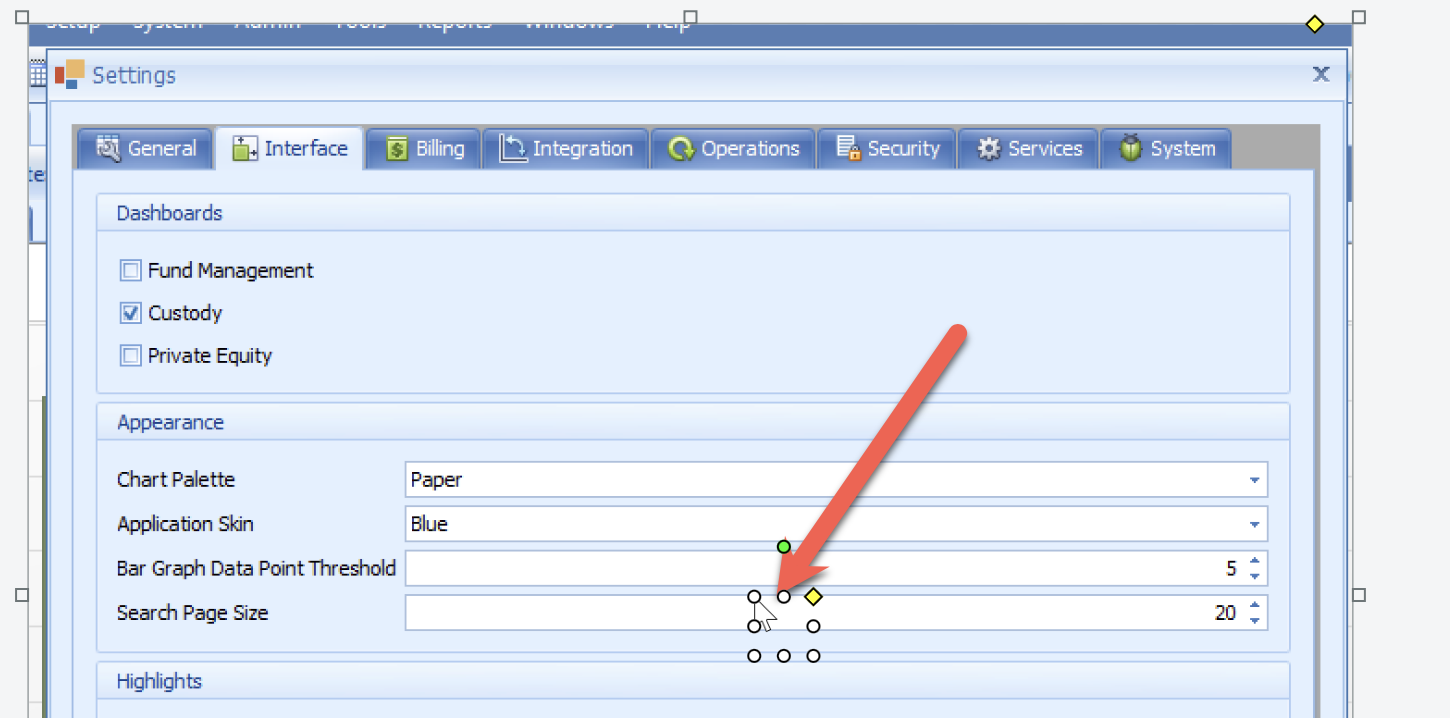
However it can be annoying to have to keep doing it.
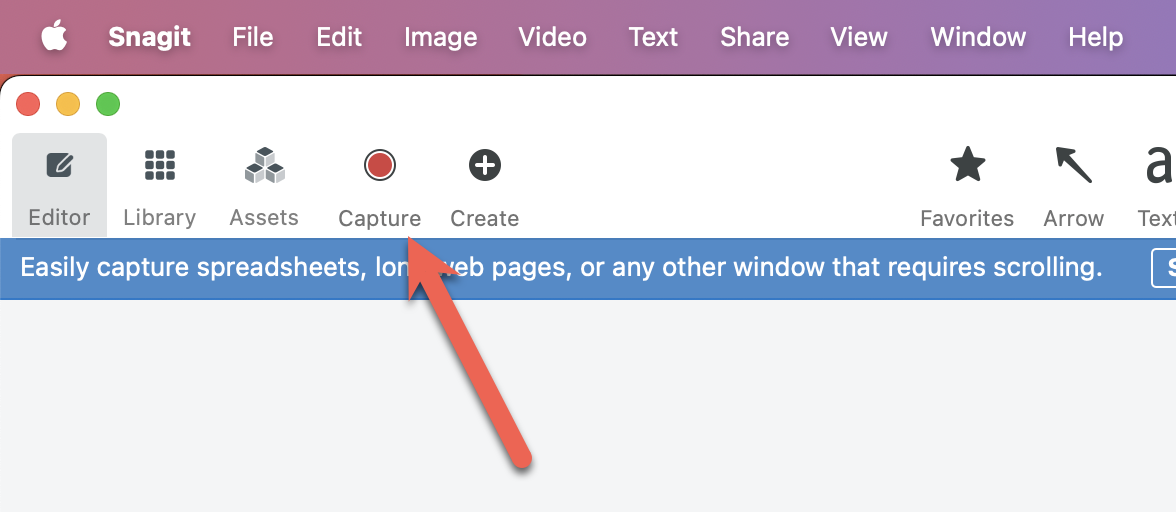
The solution is in the capture settings:
Turn off the following setting:
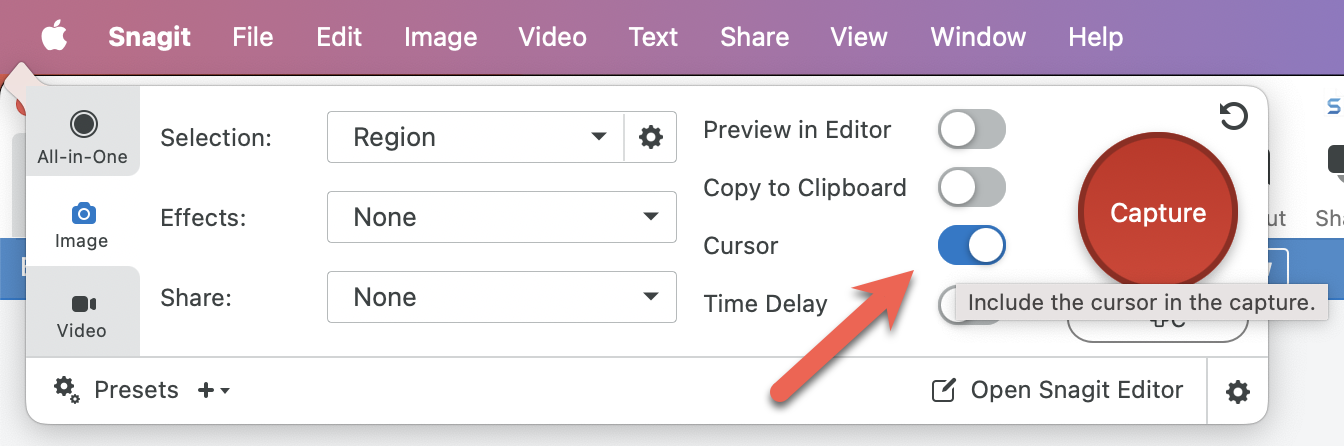
So that it looks like this:
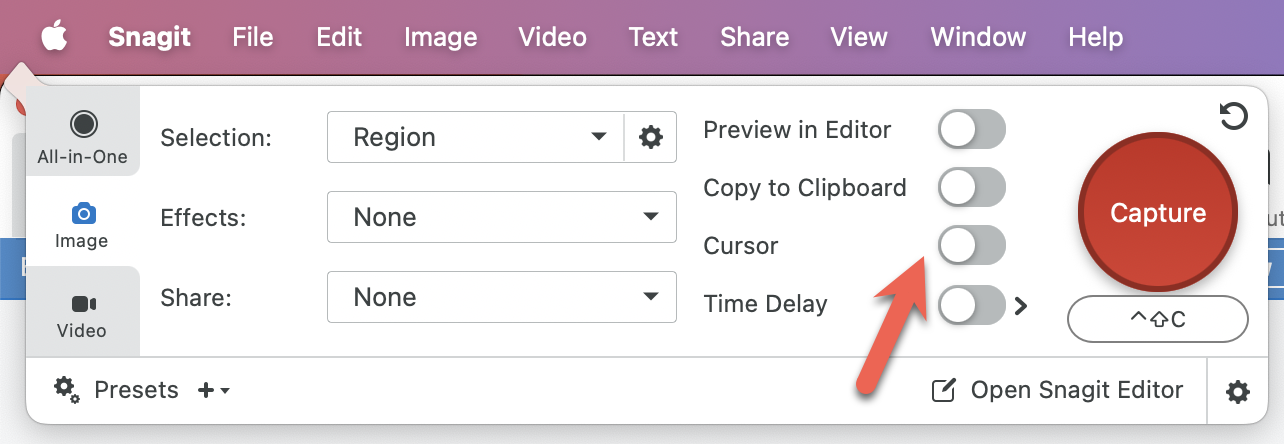
And now new captures will no longer have the cursor.
Happy hacking!