Code Housekeeping - Part 13 - Use 'AS' For Database Column Aliases
[SQL, Languages, CodeHouseKeeping, Code, Quality]
Code Housekeeping refers to general rules of thumb that make code easier to read, digest, and modify for other developers, yourself included.
In this post, we will look at the issue of database column aliases.
A typical query would look like this:
select SpyID,
       Name,
       DateOfBirth,
       Height,
       Active
from Spies
This, unsurprisingly, returns the following:
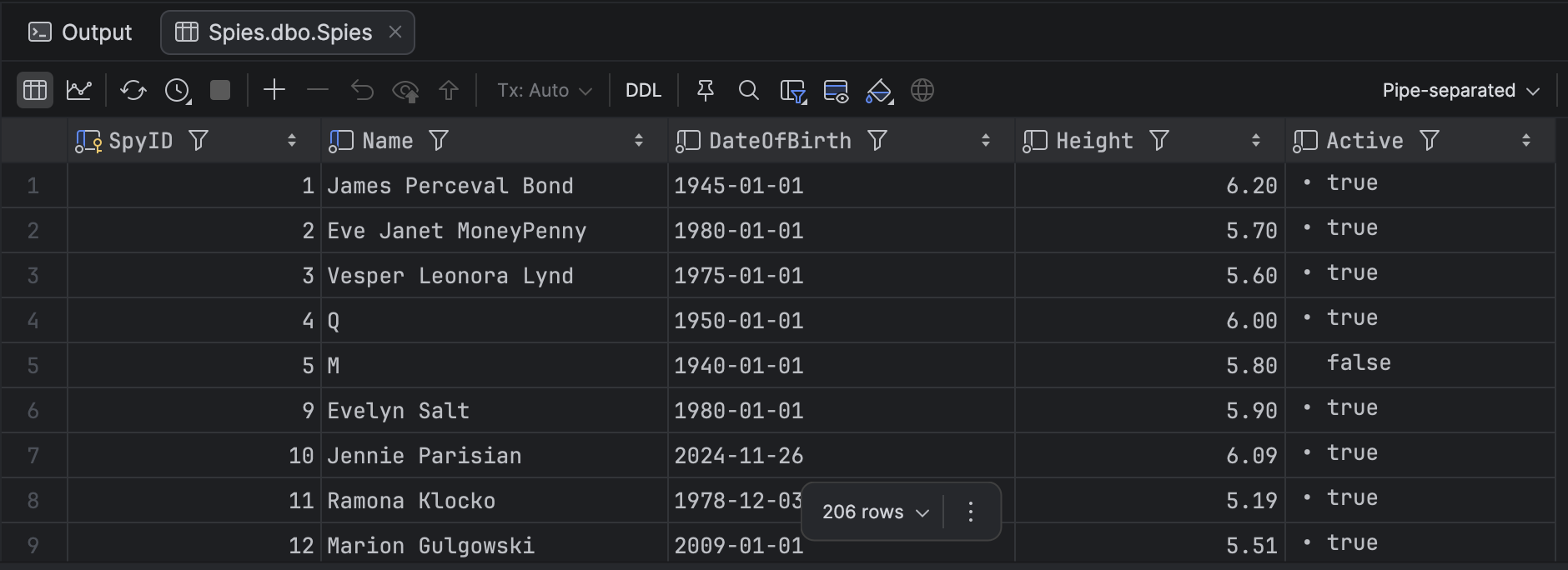
Here, I am using the Jetbrains tool DataGrip.
Suppose we want, for whatever reason, to alias the Name as FullName.
We would do it like this:
select SpyID,
       Name FullName,
       DateOfBirth,
       Height,
       Active
from Spies
The results would change as follows:
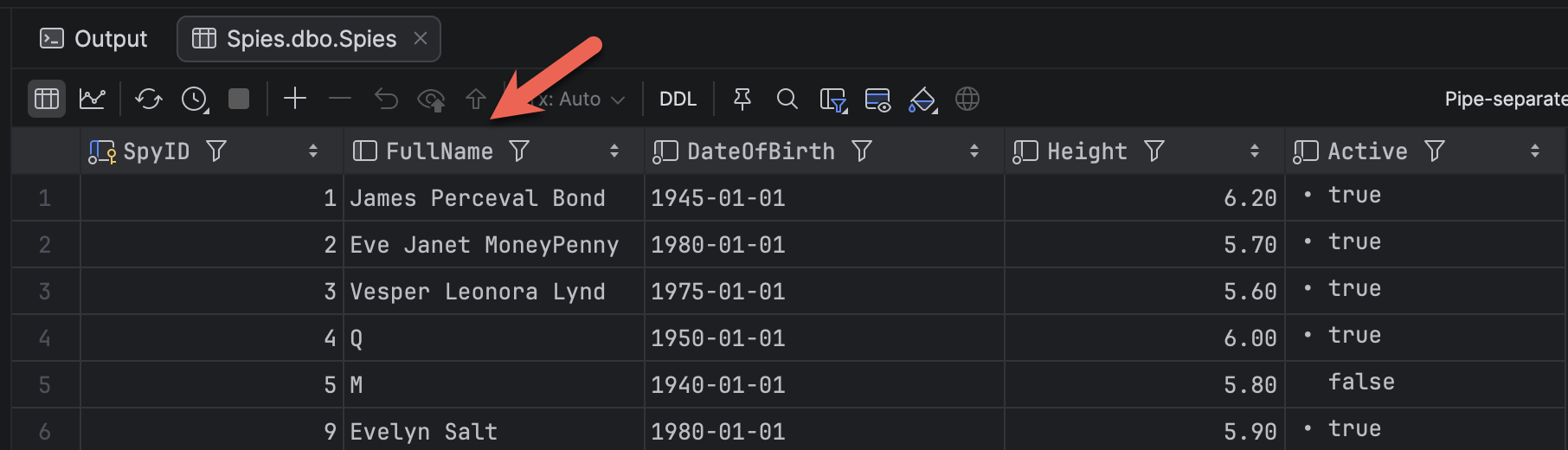
Here, we can see our column name has changed.
The problem with aliases in this way is that it is very easy to introduce a very subtle bug where you overwrite a column by mistake.
It is very easy to do the following:
select SpyID,
       Name
       DateOfBirth,
       Height,
       Active
from Spies
Note here that there is no comma between Name and DateOfBirth.
The results look as follows:
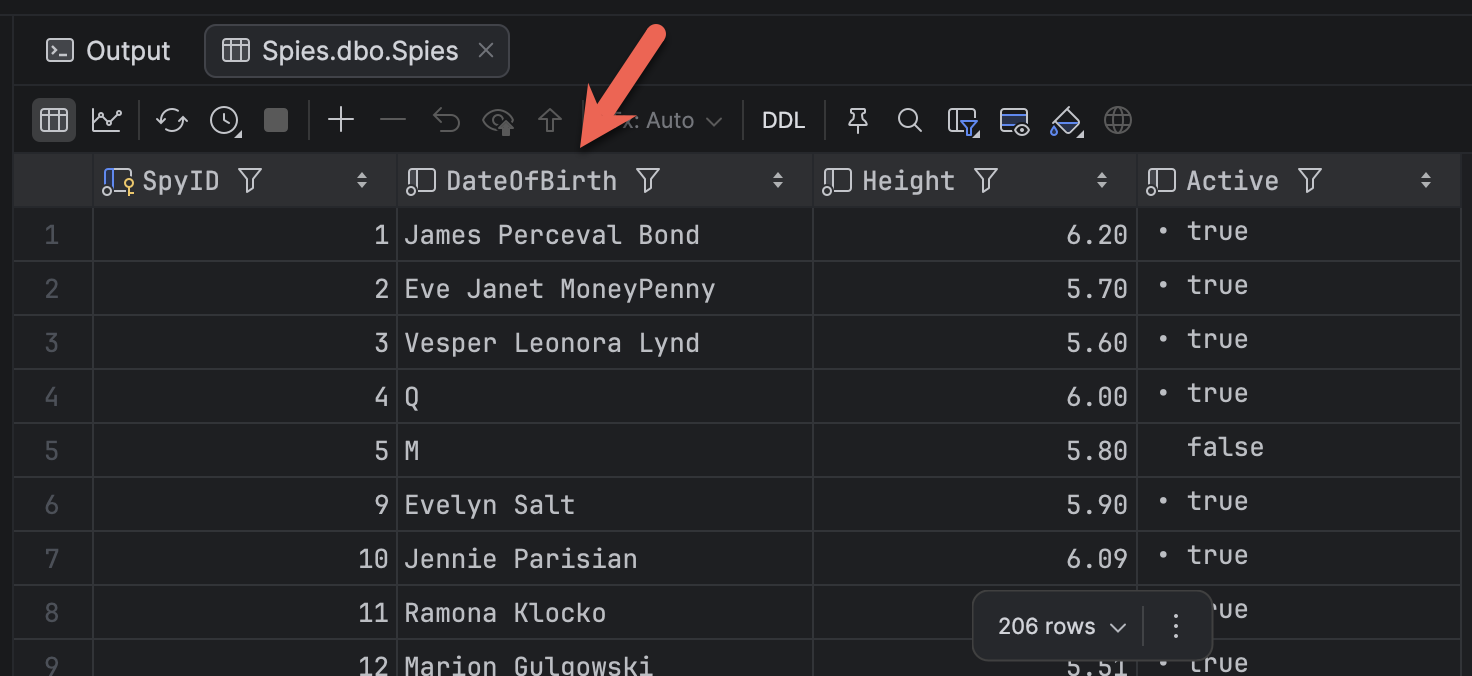
Here we have inadvertently aliased Name as DateOfBirth.
A good tool, such as DataGrip, can catch this:
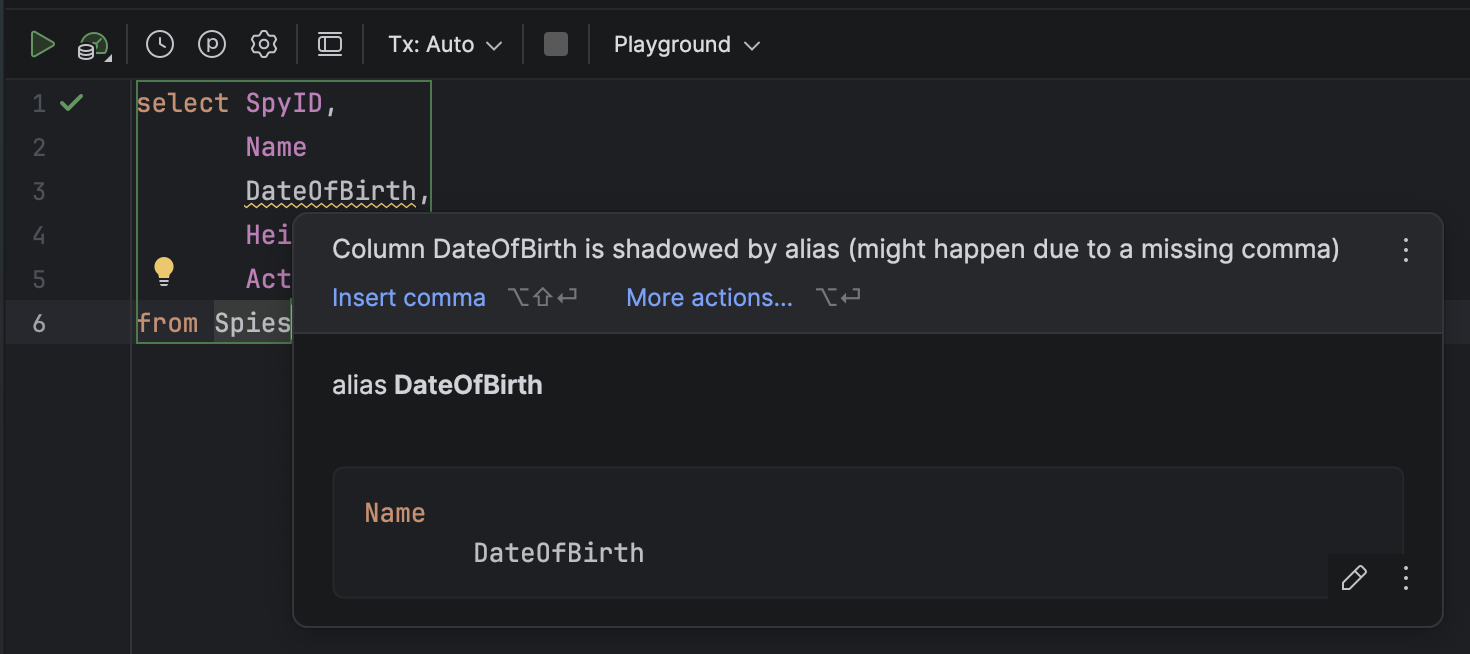
But you will not always have access to a tool.
To avoid possible confusion in scenarios like this, it is best to be explicit that you are aliasing a column by using the AS keyword.
So, rather than this:
select SpyID,
       Name FullName,
       DateOfBirth,
       Height,
       Active
from Spies
We do this:
select SpyID,
       Name AS FullName,
       DateOfBirth,
       Height,
       Active
from Spies
This makes your intent clear to anyone reading.
TLDR
Use AS when aliasing columns in queries to make your intent clear.
Happy hacking!