How to Encode Base64 Data In C# & .NET
[C#, .NET]
A common protocol for encoding data for safe representation as a string is Base64. You typically need this for encoding arbitrary data over a channel that expects text, such as email.
The go-to for this is typically the Convert class, which has a ToBase64String method. If you want a character array instead, you can use the ToBase64CharArray method.
Let us use the example from the previous post, “How To Encode An Object For Passing In A URL In C# & .NET”.
public sealed class SearchRequest
{
  public required string SearchText { get; init; }
  public required string SortColumn { get; init; }
  public required int PageNumber { get; init; }
  public required int PageSize { get; init; }
  public required string Database { get; init; }
  public required bool ActiveOnly { get; init; }
}
We create an object like this:
var req = new SearchRequest
{
  SearchText = "conrad",
  SortColumn = "Name",
  PageNumber = 0,
  PageSize = 50,
  Database = "Animals",
  ActiveOnly = true
};
We need to get this object as a byte array.
A simple solution is to use the JsonSerializer
// Get the data in bytes
var byteData = JsonSerializer.SerializeToUtf8Bytes(req);
Finally, we encode this:
var encodedByteData = Convert.ToBase64String(byteData);
Simple enough.
There is also another class that can do this - Base64Url, which has an EncodeToString method.
var encodedByteData = Base64Url.EncodeToString(byteData);
This is in fact what we did in our previous post.
Now, you might ask, what is the difference?
Let us first compare the outputs:
var byteData = JsonSerializer.SerializeToUtf8Bytes(req);
// Convert to a URL representable string
Console.WriteLine(Convert.ToBase64String(byteData) == Base64Url.EncodeToString(byteData));
This will print true, indicating that the outputs are the same.
Now, let us modify our data slightly:
We will change our search text from conrad to conrad (here are two spaces after the end of the string)
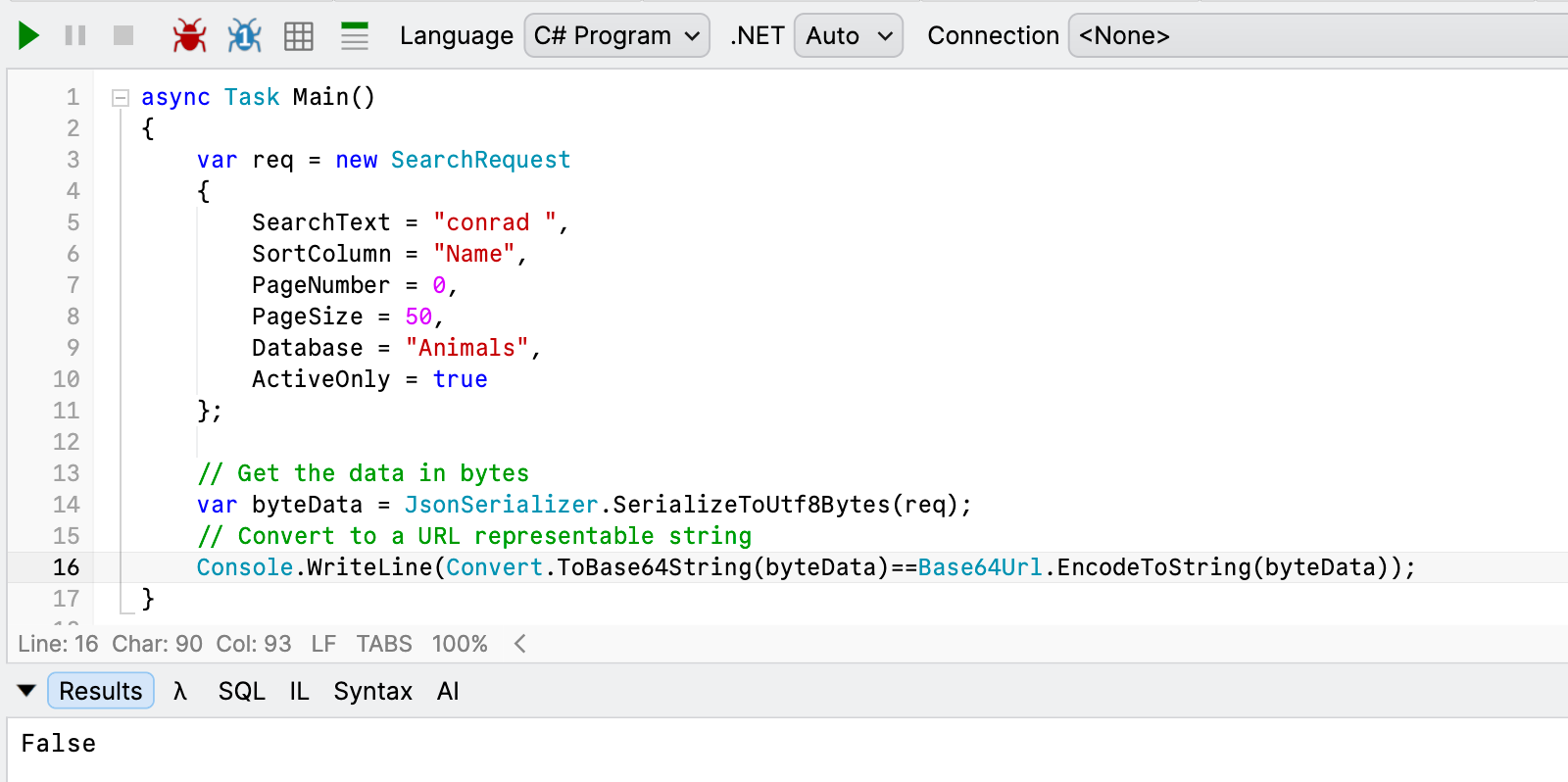
Let us now visualize the actual outputs:
eyJTZWFyY2hUZXh0IjoiY29ucmFkICIsIlNvcnRDb2x1bW4iOiJOYW1lIiwiUGFnZU51bWJlciI6MCwiUGFnZVNpemUiOjUwLCJEYXRhYmFzZSI6IkFuaW1hbHMiLCJBY3RpdmVPbmx5Ijp0cnVlfQ==
eyJTZWFyY2hUZXh0IjoiY29ucmFkICIsIlNvcnRDb2x1bW4iOiJOYW1lIiwiUGFnZU51bWJlciI6MCwiUGFnZVNpemUiOjUwLCJEYXRhYmFzZSI6IkFuaW1hbHMiLCJBY3RpdmVPbmx5Ijp0cnVlfQ
The top is from Convert and the bottom is from Base64Uri
Its tricky to see but the difference is this:

That = that is a part of the Convert output is the issue. This is a special character that the encoding inserts to pad the output to ensure the length is a multiple of 4 bytes.
Which is precisely the problem Base64Url.EncodeToString is solving - it removes these characters for you.
You will get the same problem with these characters:
+, that is a space in a query string/that is a path in a query string
The specification, RFC 4648, specifies what to do when encountering this data - which is replacing it with other characters: + is replaced with -, and / is replaced with _
If you use Convert.ToBase64String, you must replace these yourself. Base64Url.EncodeToString does this for you.
In other words you will have to do this:
var encodedByteData = Convert.ToBase64String(byteData);
    .TrimEnd('=')
    .Replace('+', '-')
    .Replace('/', '_');
TLDR
For passing Base64 data over a URL, use Base64Url.EncodeToString instead of Convert.ToBase64String, as it does some replacements automatically for you.
The code is in my GitHub.
Happy hacking!