
Listing The Files In A Zip File In C# & .NET
[C#, .NET, Compression]
In past posts, we have looked at How To Zip A Single File In C# & .NET and How To Zip Multiple Files In C# & .NET.
In this post, we will look at how to list the files contained in a Zip file.
We will use the zip file we created in a previous post, Books.zip.
Our project structure will look like this:
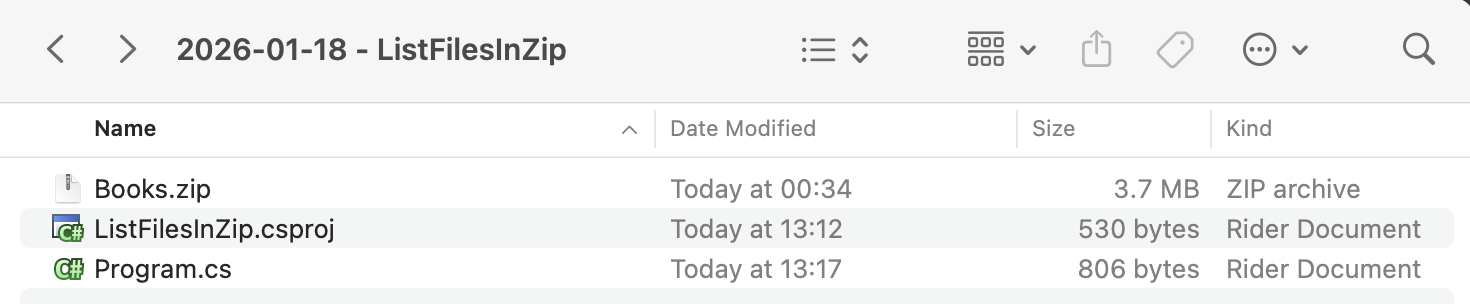
The code will look like this:
using System.IO.Compression;
using System.Reflection;
using Serilog;

Log.Logger = new LoggerConfiguration()
    .WriteTo.Console().CreateLogger();

// Extract the current folder where the executable is running
var currentFolder = Path.GetDirectoryName(Assembly.GetExecutingAssembly().Location)!;

// Construct the full path to the zip file
var zilFile = Path.Combine(currentFolder, "Books.zip");

// Open the zip file on disk for update
await using (var archive = await ZipFile.OpenAsync(zilFile, ZipArchiveMode.Read))
{
    // Loop through all the entries
    for (var i = 0; i < archive.Entries.Count; i++)
    {
        // Get the file name
        var file = archive.Entries[i];
        // Print the count and name
        Log.Information("File {Count} - {FileMame}", i + 1, file.FullName);
    }
}
Here, we are accessing the Entries collection of the ZipArchive class, from which we extract the Fullname.
This will print the following:

TLDR
You can iterate over the Entries collection of the ZipArchive class to list the files contained in the Zip file.
The code is in my GitHub.
Happy hacking!