Logging A Plain Message to Serilog in C# & .NET
[C#, .NET]
I have often mentioned that my logging library of choice is Serilog.
I use this in conjunction with its rich ecosystem of sinks, in particular:
One reason is its support for structured logging.
Take this scenario.
- You have a man.
- The man has an age
- You want to log this for future reference
First, we set up our logging infrastructure:
Log.Logger = new LoggerConfiguration()
  .WriteTo.Seq("http://localhost:5341")
  .CreateLogger();
Here, I want to log to Seq.
Your initial instinct would be to do it like this:
Log.Information("The man is {Age} years old", 70);
This works.
Kind of.

Imagine you have thousands of entries and you want to find men older then a particular age.
This is a nightmare.
The solution to this is structured logging.
We achieve it like so:
Log.Information("The man is {Age} years old", 70);
The result is as follows:

It looks the same, you might say, except the age is in red.
Not quite.
You can expand the entry and view structured properties that you have requested to be logged:

This allows you to do things like this:
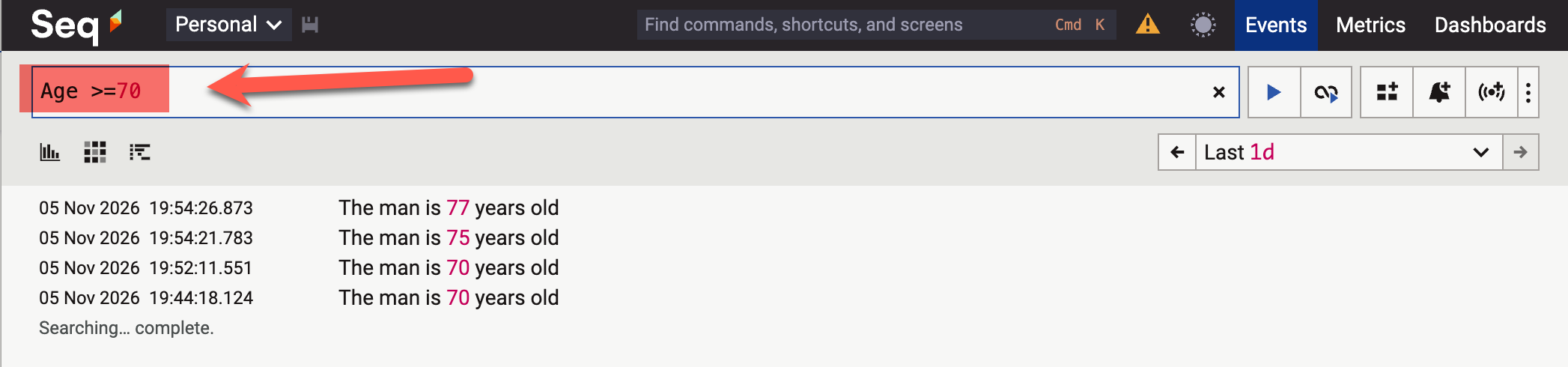
You can slice, dice and analyze your data based on your logged properties.
Which is very powerful.
How this works is that the parameter to a Log object is not actually a string, but a message template.
Which normally isn’t an issue.
Unless you have a situation where you want to log a string as is.
Log.Information("The system has started");

This is easy to understand for you and me, but for Serilog, it is still a message template without any parameters.
A solution to this is to treat the entirety of your message as a parameter,
Like so:
Log.Information("{Message:l}", "The system has started");
The l here means log the string literally.
This will get logged as follows:
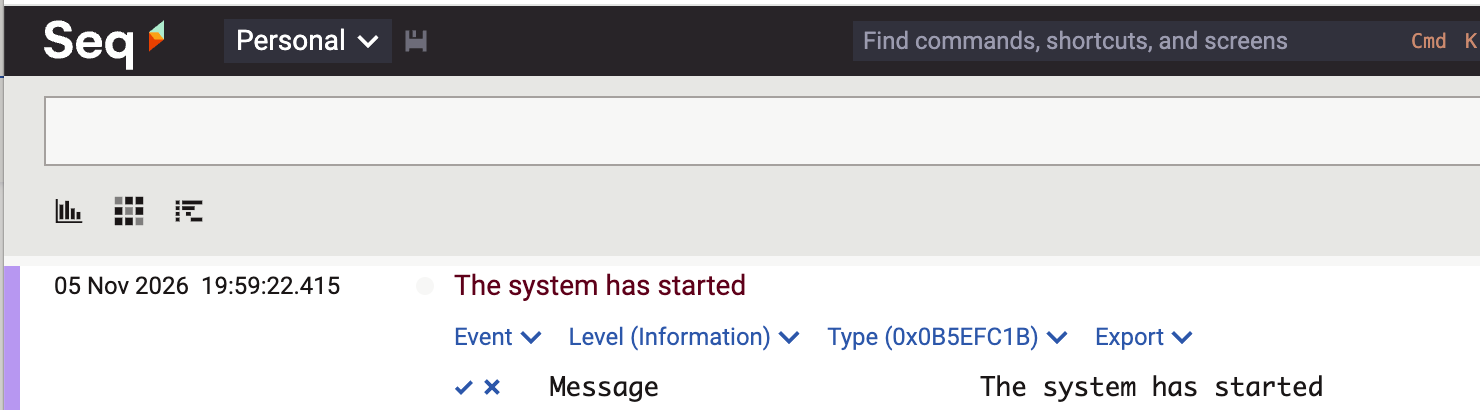
Here you get the best of both worlds - you can filter the logged text, but also segregate your logged messages.
TLDR
To log literal messages, use the l placeholder. Don’t use the Log.XXX methods and passing them a string.
Happy hacking!