.NET 11 Preview - RegularExpression NewLine Handling Improvement
[C#, .NET, .NET 11 Preview]
For many years, the bane of developers when it came to processing text was the newline.
For many years there were 3
- Windows -
\r\n - Unix & Linux -
\n - Older MacOS =
\r
Unicode has an additional 3
\u0085\u2028\u2029
Take the following text
var text = "The Quick\r\nBrown Fox\u0085Jumped Over\u2028The Lazy Dog\nBigly";
Our challenge is to extract each line from this multiline string.
Typically, we’d do it like this:
var oldLines = Regex.Matches(text, @"^.*$", RegexOptions.Multiline).Select(r => r.Value).ToArray();
Here our regular expression, ^.*$ specifies anything from start of line to end of line, and we are telling the engine that our text is, in fact, MultiLine.
This outputs the following:
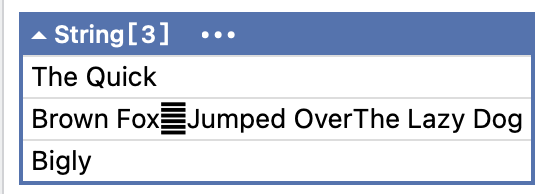
Here we can see that it understood \r\n and n, but did not recognize the rest.
This has been addressed in .NET 11 with the RegexOptions.AnyNewLine flag.
The code can be updated as follows, to pass the new flag:
var newLines = Regex.Matches(text, @"^.*$", RegexOptions.Multiline | RegexOptions.AnyNewLine).Select(r => r.Value).ToArray();
This will return the following:
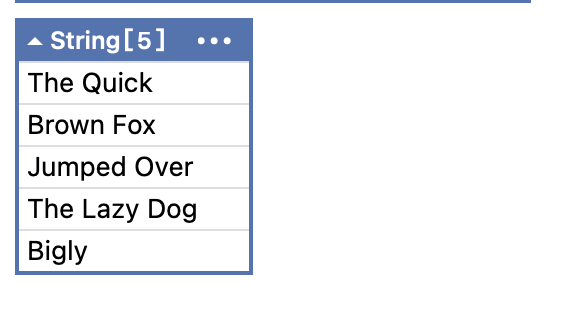
TLDR
The AnyNewLine RegexOptions flag makes it easier to match text with different newline encodings.
The code is in my GitHub.
Happy hacking!