Parallels Networking Considerations
[Parallels, macOS, Windows]
As I have mentioned a couple of times, my main computer is a MacBook Pro running on macOS Sequoia 15.8.1. It has an M3 Max chip and 64GB of RAM.
This is my daily driver.
I also do some Windows development.
For this, I use Parallels Pro, in which I run a Windows 11 virtual machine.
Given that the hardware is the M3, the Windows version that runs is the Windows ARM version.
This has some key considerations, the main one being that a lot of software does not run on the ARM processor. Biggest examples off the top of my head are Docker (yet) and Windows Subsystem for Linux (WSL).
This is generally not a problem.
Being a Mac, that natively runs Docker, whatever I need I run on Docker on the Mac side.
Which is actually more convenient because I can access them from whatever OS I need them.
Here is my current running stack:
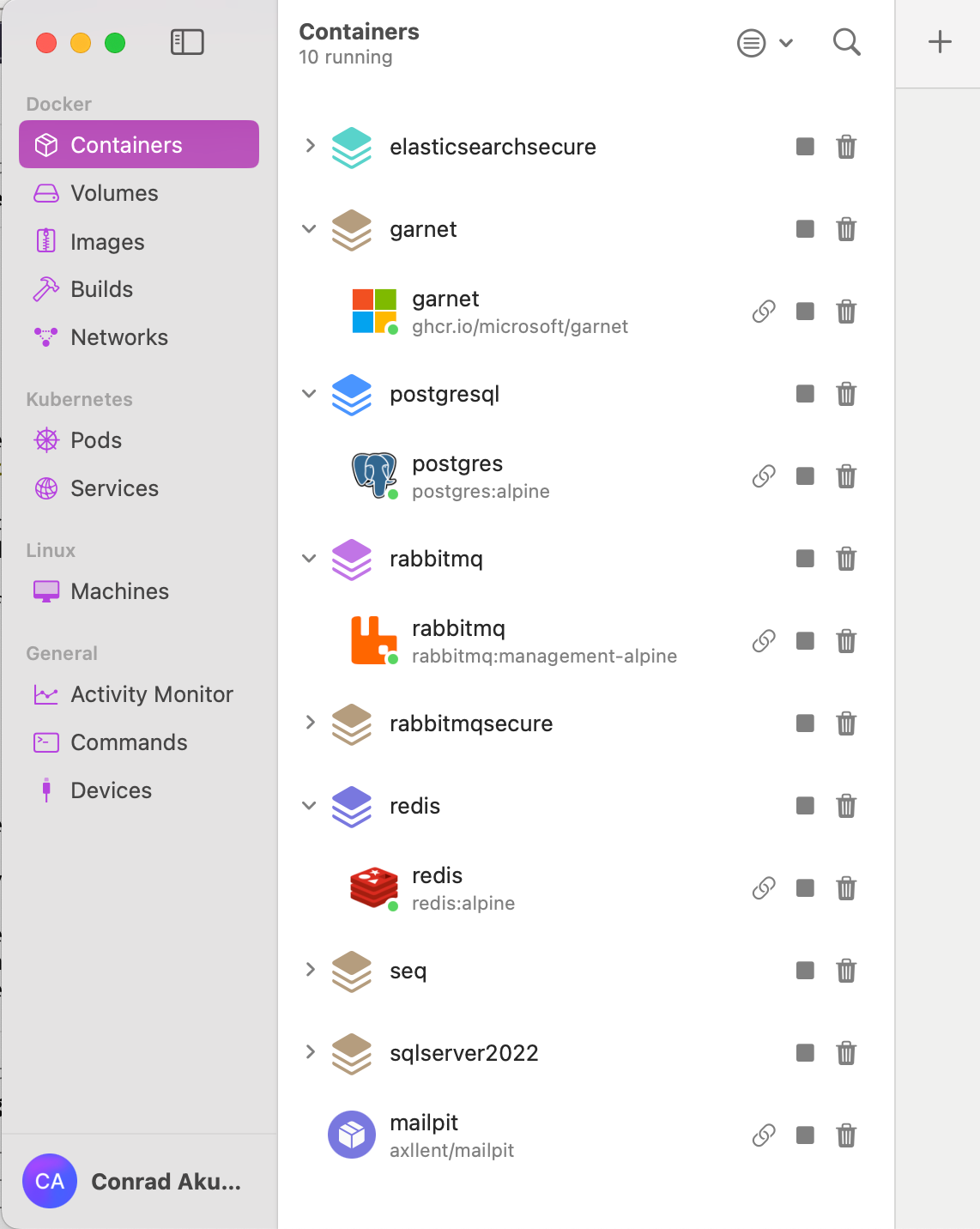
For this to work, if I need to access Redis from the Windows side, I use an IP address in the 10.211.55.x range.
In my case, the infrastructure on the Mac side is addressed at the 10.211.55.2 IP address.
This is through the magic of a network that Parallels creates.
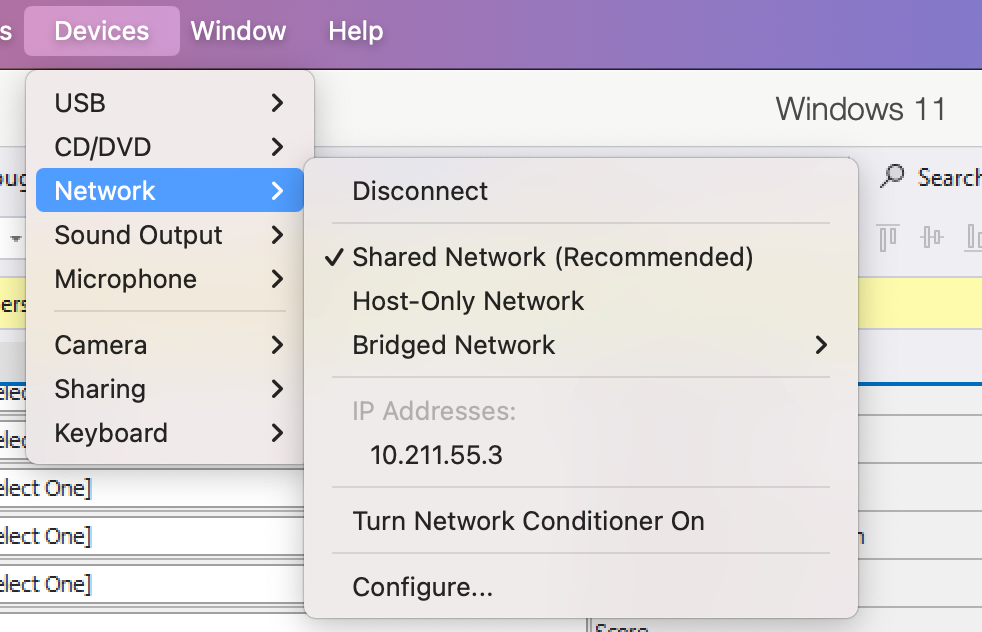
It is important to mention at this point that this network is only created if Parallels is actually running!
If it doesn’t, you will get the usual error that you get when the address you are trying to address is not on the network.
Many a minute I have spent wondering why an API suddenly isn’t working. This was the problem.
I sporadically forget this and wonder why my services are timing out.
TLDR
Parallels only creates its network if it is actually running, so remember this when configuring IP addresses your services will point to.
Happy hacking!