Setting Time Zones In Your Docker Containers
[Docker]
If you are not using containers for your infrastructure, I would be surprised. A whole class of problems and complications go away when your infrastructure is a container that can quickly be spun up as needed.
For example, if I needed a MySQL container, I could use this docker-compose.yaml file:
services:
  mysql:
    image: mysql:latest
    container_name: mysqldemo
    restart: always
    environment:
      MYSQL_ROOT_PASSWORD: mystrongpassword123
      MYSQL_DATABASE: testdb
    ports:
      - "3307:3306"
Let us quickly spin this up:
docker compose up -d
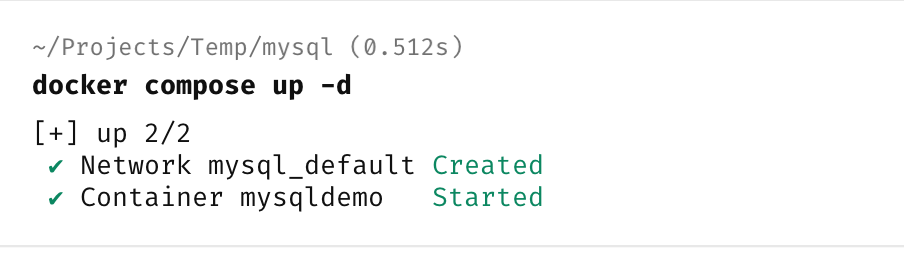
Looks ok.
Now let us get the system time from that container.
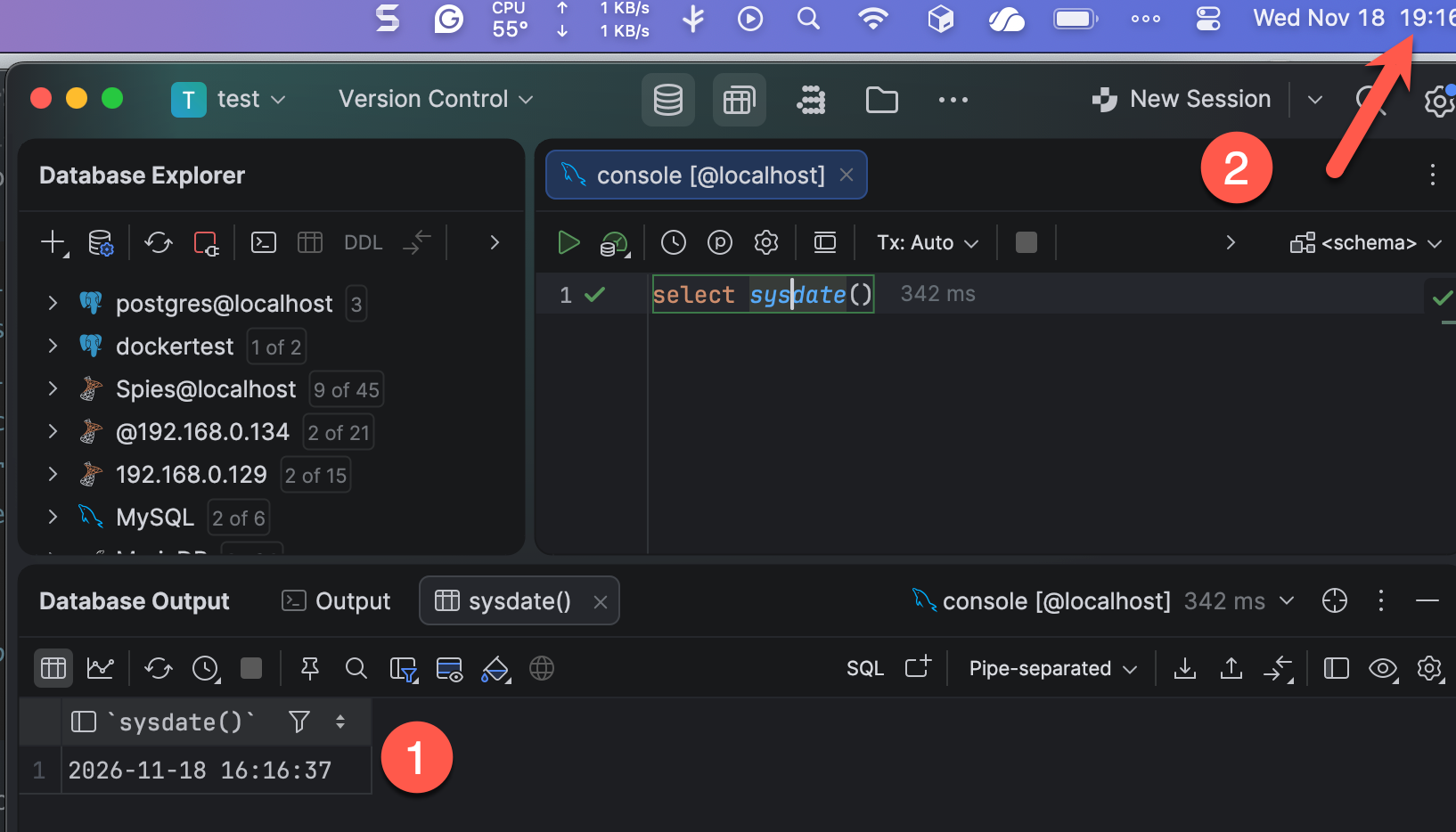
We can see here that in the container the time is 16:16 but on the host it is 19:16.
This is because containers default to UTC unless told otherwise
This matters when your host is interacting with the container!
It is therefore crucial to remember to set the timezone in the container.
Most containers will allow you to set this through an environment variable, TZ.
Like so:
services:
  mysql:
    image: mysql:latest
    container_name: mysqldemo
    restart: always
    environment:
      MYSQL_ROOT_PASSWORD: mystrongpassword123
      MYSQL_DATABASE: testdb
      TZ: Africa/Nairobi
    ports:
      - "3307:3306"
The change is here:
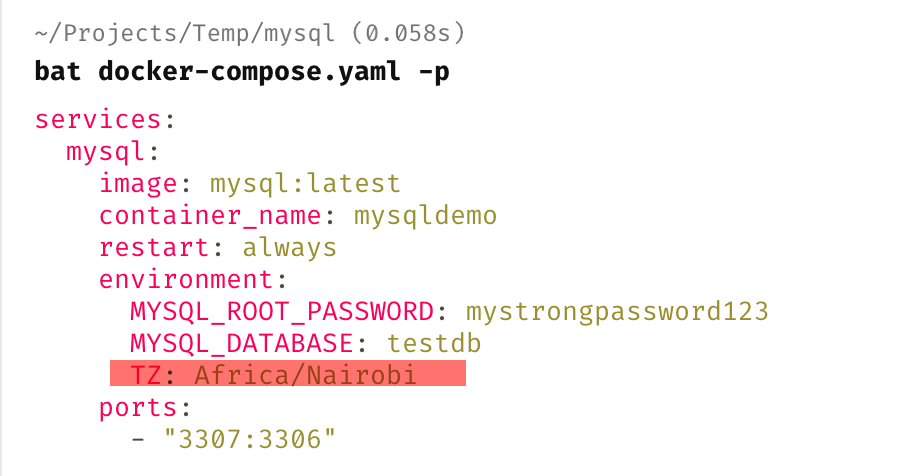
Let us now rebuild our container:
docker compose up -d --build
This will stop, recreate the container and then restart it.
Now, if we query the date:
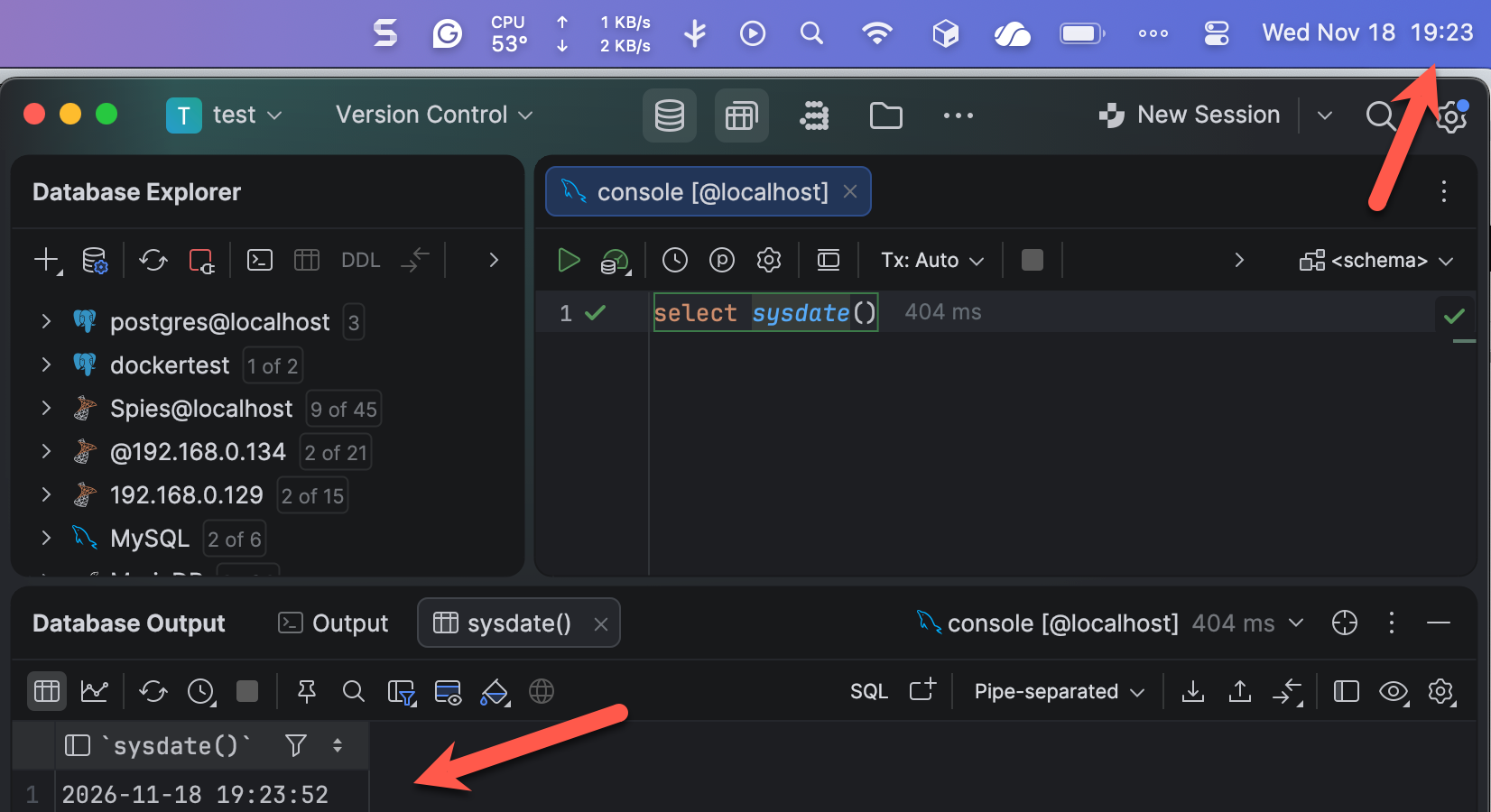
Here we can see that they match.
Be in the habit of setting this in all your containers.
TLDR
When setting up containers, it is good practice to set the time zone.
Happy hacking!!