What Problem Does HTTP QUERY Solve?
[HTTP, Web]
When it comes to sending data to a web server over the web, you have a couple of options:
These generally map as follows for a RESTful API
| Operaton | Method |
|---|---|
| Fetch data | GET |
| Insert data | POST |
| Update Data | PUT, PATCH |
| Delete data | DELETE |
The greatest strength of GET can also be its greatest weakness.
Given that data is passed in the URL, this means you can easily implement caching on the server side, either at the web server level or at the API level, as you can use the entire URL as a key. Browsers and other web clients can also natively support response caching to minimize traffic.
The problem is that the URL has some hard limits in terms of:
- Size
- Data representation
Size is a bit complex. The HTTP specification does not actually set a maximum size, so implementation is left to the mercy of browsers and web servers.
For browsers, Chrome, and other Chromium based browsers like Microsoft Edge have a hard limit of 2,097,152 characters, about 2MB. Firefox has a limit of about 65,536 (64 KB). Safari, based on chrome, has a limit of 80,000.
For web servers, you have a different set of constraints. Microsoft IIS has a default length limit of 4KB. Apache has a limit ranging from 8,000 to 128,000 bytes. Nginx has a default length of ‘8KB’.
When it comes to representation, you have a different problem, given that the URL is basically a string.
You cannot, for example, pass JSON in a URL without doing some encoding first, perhaps in Base64.
This basically means you can quickly run into hard limits when you have large payloads, not to mention inconsistencies between servers and browsers.
This is over and above the challenge of encoding data to be represented in the query string.
For example, if your API supports search, the payload would look like this:
{
  "SearchText": "conrad",
  "SortColumn": "Name",
  "PageNumber": 0,
  "PageSize": 20,
  "Database": "Animals",
  "ActiveOnly": true
}
You would therefore need to convert this to a string so that you can submit in a URL.
To avoid having to deal with all these problems, a simple solution is to abandon the GET together and use a POST.
Given that the data is passed in the header, POST out of the box can support object as is.
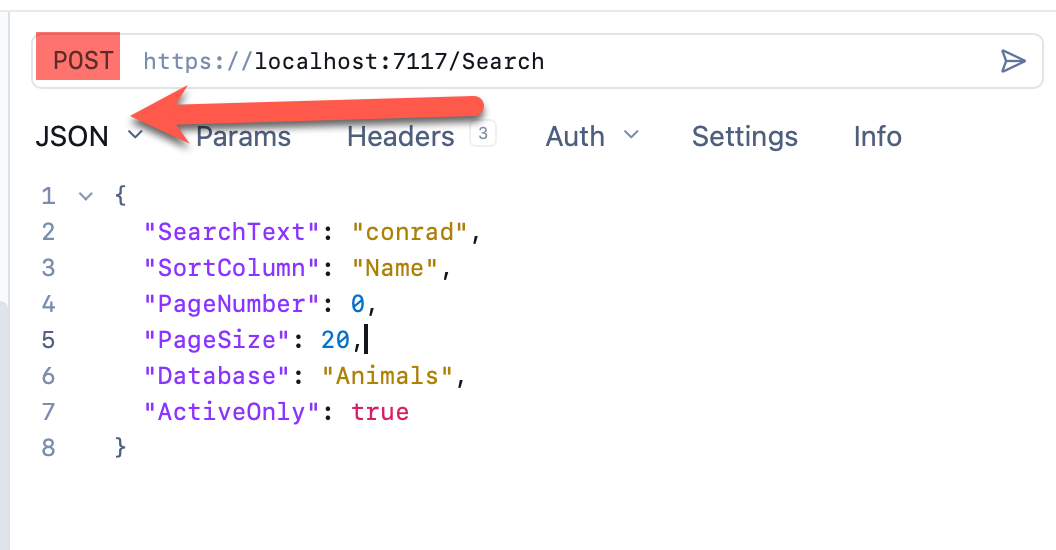
However, POST has a number of drawbacks for this use case:
POSTis by convention expected to modify state, generally to create a new entity- Caching of
POSTrequests on the server side is technically possible, but requires some extra effort to correctly setup and work.
It is for this reason that the QUERY method has been introduced, as outlined in RFC 10008.
It has be best of both worlds:
- Request has a body, like
POST - Can be cached, like
GET - Can be treated as Idempotent, like
GET - Response comes back in the body, like
GET - Does not alter server state, like
GET
Recent builds modern browsers and tools support this.
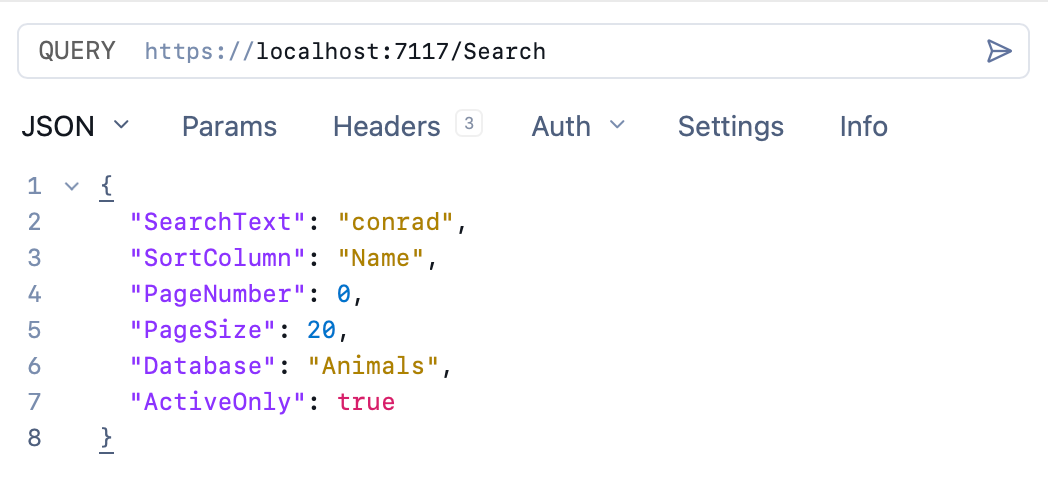
This is my goto API Client, Yaak.
TLDR
HTTP QUERY allows you to have GET semantics for payloads with a body
Happy hacking!