Interfacing With MySQL & MariaDB Databases in C# & .NET
[Database, MySQL, MariaDB, C#, .NET]
In two prior posts, “Connecting To MySQL & MariaDB using MySqlConnector in C# & .NET” and “Connecting To MySQL & MariaDB using MySql.Data in C# & .NET”, we looked at how to connect to a MySQL and MariaDB databases using two different ADO.NET MySQL providers.
In this post we will look at how to work with the ADO.NET primitives to interface with each of the databases and perform the following:
- Insert
- List
- Update
- Delete
For this set of exercises, we will use a table with the following schema:
CREATE TABLE spies (
  spyid int NOT NULL AUTO_INCREMENT,
  fullnames varchar(100) not null,
  dateofbirth date not null
  PRIMARY KEY (spyid),
  UNIQUE KEY spies_uq_fullnames (fullnames)
)
Insert
For an insert we need to do the following:
- Create a
MySqlConnection - Create a
MySqlCommand - Create a parameterized query
- Pass the parameters, using
MySqlParameterobjects - Execute the query
The code looks like this:
using MySqlConnector;
using Serilog;

Log.Logger = new LoggerConfiguration()
    .WriteTo.Console()
    .CreateLogger();

const string connectionString = "Server=localhost;userid=root;password=mystrongpassword123;database=testdb";

await using (var cn = new MySqlConnection(connectionString))
{
    // Open the connection
    await cn.OpenAsync();
    // Create a command object
    await using (var cmd = cn.CreateCommand())
    {
        // Set the command tet
        cmd.CommandText = "INSERT spies(fullnames,dateofbirth) values (@fullnames,@dateofbirth)";
        //
        // Populate the parameters
        //
        var pFullnames = new MySqlParameter("@fullnames", MySqlDbType.VarChar, 100)
        {
            Value = "James Bond"
        };
        var pDateOfBirth = new MySqlParameter("@dateofbirth", MySqlDbType.Date, 16)
        {
            Value = new DateTime(1970, 1, 1)
        };
        // Add parameters to command
        cmd.Parameters.Add(pFullnames);
        cmd.Parameters.Add(pDateOfBirth);
        // Execute query
        var result = await cmd.ExecuteNonQueryAsync();
        Log.Information("{Count} records affected", result);
    }

    await cn.CloseAsync();
}
If we run the code we should see the following:

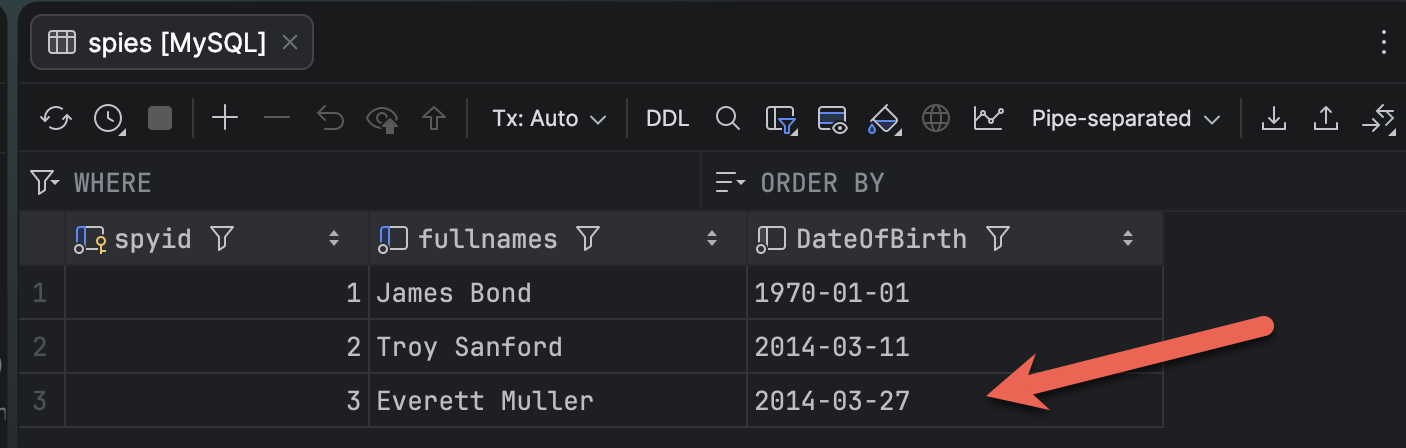
Querying the database should show the data:
List
For an update, the sequence is as follows:
- Create a
MySqlConnection - Create a
MySqlCommand - Write a query to fetch the data you want
- Execute the
MySqlCommandto return aMySqlDataReaderobject - Loop for as long as the
MySqlDataReadercan read and print the result
The code is as follows:
await using (var cn = new MySqlConnection(connectionString))
{
    // Open the connection
    await cn.OpenAsync();
    // Create a command object
    await using (var cmd = cn.CreateCommand())
    {
        int counter = 0;
        // Set the command tet
        cmd.CommandText = "SELECT spyid, fullnames,dateofbirth FROM spies";
        // Execute query
        var reader = await cmd.ExecuteReaderAsync(CommandBehavior.CloseConnection);
        while (reader.Read())
        {
            // Get ordinal allows us to use the name to get the ordinal position
            spyID = reader.GetInt32(reader.GetOrdinal("spyid"));
            var fullnames = reader.GetString(reader.GetOrdinal("fullnames"));
            var dateofbirth = reader.GetDateOnly(reader.GetOrdinal("dateofbirth"));
            Log.Information("ID: {ID}, Fullname: {Fullnames}, DateOfBirth: {DateOfBirth}", spyID, fullnames,
                dateofbirth);
            counter++;
        }

        await reader.CloseAsync();

        Log.Information("{Count} records returned", counter);
    }
}
This will return something like the following:

Update
The steps for an update are the same as for an insert:
- Create a
MySqlConnection - Create a
MySqlCommand - Create a parameterized query
- Pass the parameters, using
MySqlParameterobjects - Execute the query
The difference here is the structure of the query.
The code is as follows:
await using (var cn = new MySqlConnection(connectionString))
{
    // Open the connection
    await cn.OpenAsync();
    // Create a command object
    await using (var cmd = cn.CreateCommand())
    {
        var spy = faker.Generate();
        // Set the command tet
        cmd.CommandText = "UPDATE spies SET fullnames=@fullnames, dateofbirth=@dateofBirth WHERE spyid=@spyid";
        //
        // Populate the parameters
        //
        var pFullnames = new MySqlParameter("@fullnames", MySqlDbType.VarChar, 100)
        {
            Value = spy.Fullnames
        };
        var pDateOfBirth = new MySqlParameter("@dateofbirth", MySqlDbType.Date, 16)
        {
            Value = spy.DateOfBirth
        };
        var pSpyID = new MySqlParameter("@spyid", MySqlDbType.Int16, 16)
        {
            Value = spyID
        };
        // Add parameters to command
        cmd.Parameters.Add(pFullnames);
        cmd.Parameters.Add(pDateOfBirth);
        cmd.Parameters.Add(pSpyID);
        Log.Information("Updating spy fullname and date of birth to {Fullnames} and {DateOfBirth}", spy.Fullnames,
            spy.DateOfBirth);
        // Execute query
        var result = await cmd.ExecuteNonQueryAsync();
        Log.Information("{Count} records affected", result);
    }

    await cn.CloseAsync();
}
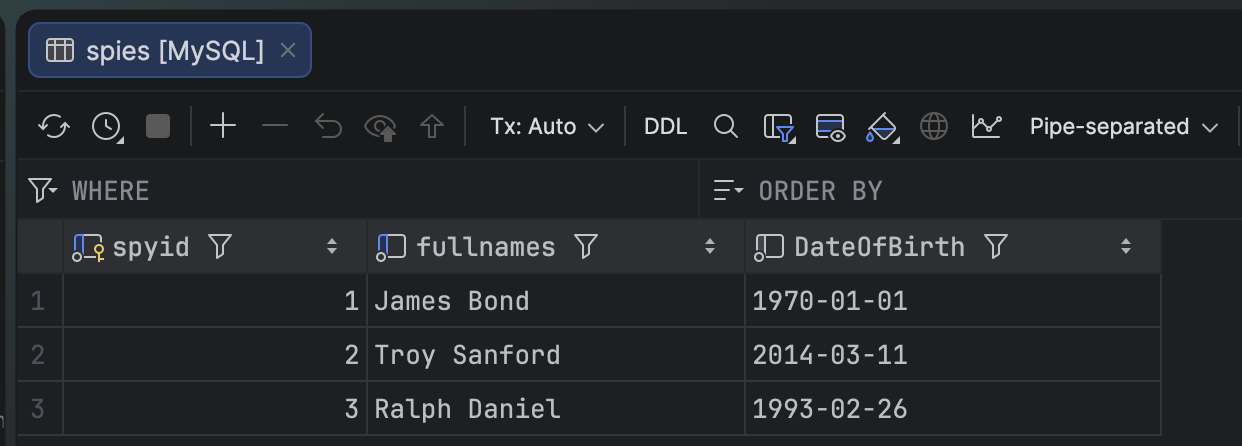
This will return the following:

And if we check in our database, the last record has changed.
Delete
The steps for a delete are the same as those for insert and update:
- Create a
MySqlConnection - Create a
MySqlCommand - Create a parameterized query
- Pass the parameters, using
MySqlParameterobjects - Execute the query
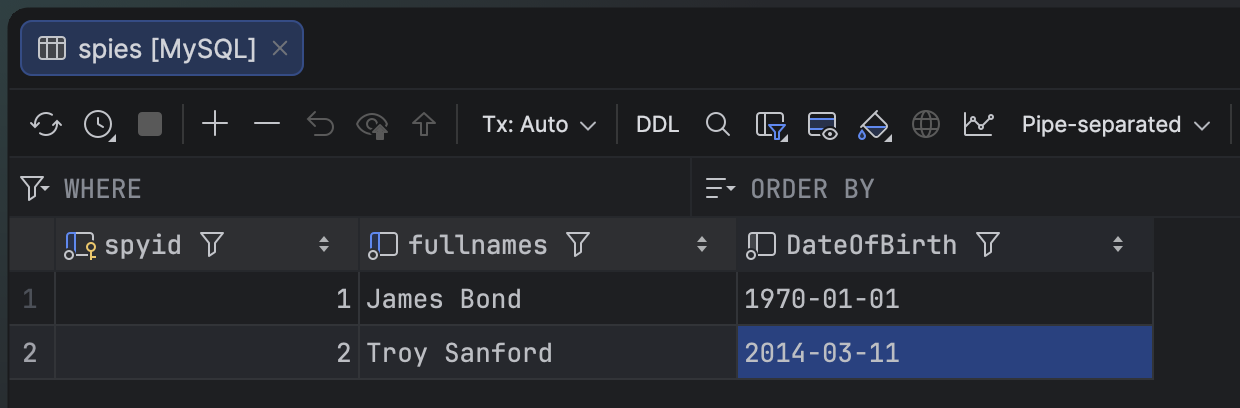
The only parameter we need is what to delete, specified by SpyID.

If we view our data, the relevant row is gone.
IMPORTANT: This code will still work regardless of the MySQL ADO.NET provider you use.
TLDR
You can use ADO.NET primitives to fetch and manipulate data from MySQL and MariaDB.
The code is in my GitHub.
Happy hacking!